Event day
Standings on a TV
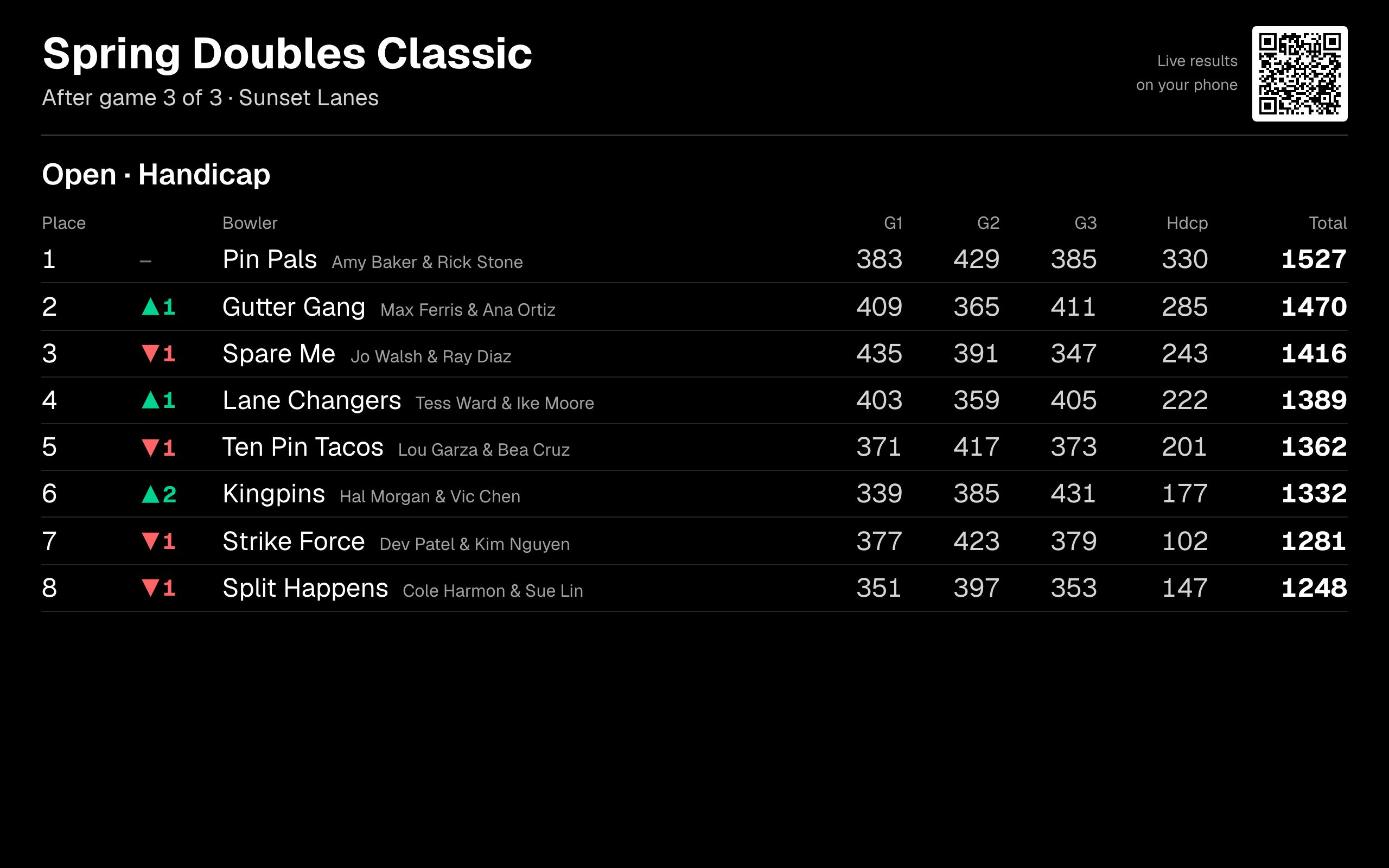
Put live standings on a TV in the center: full-screen, updated as each game closes, with green and red arrows for places moved since the game before.
Recorded with PinSigma v0.11.0 · updated October 18, 2026
Find the TV link
- 1
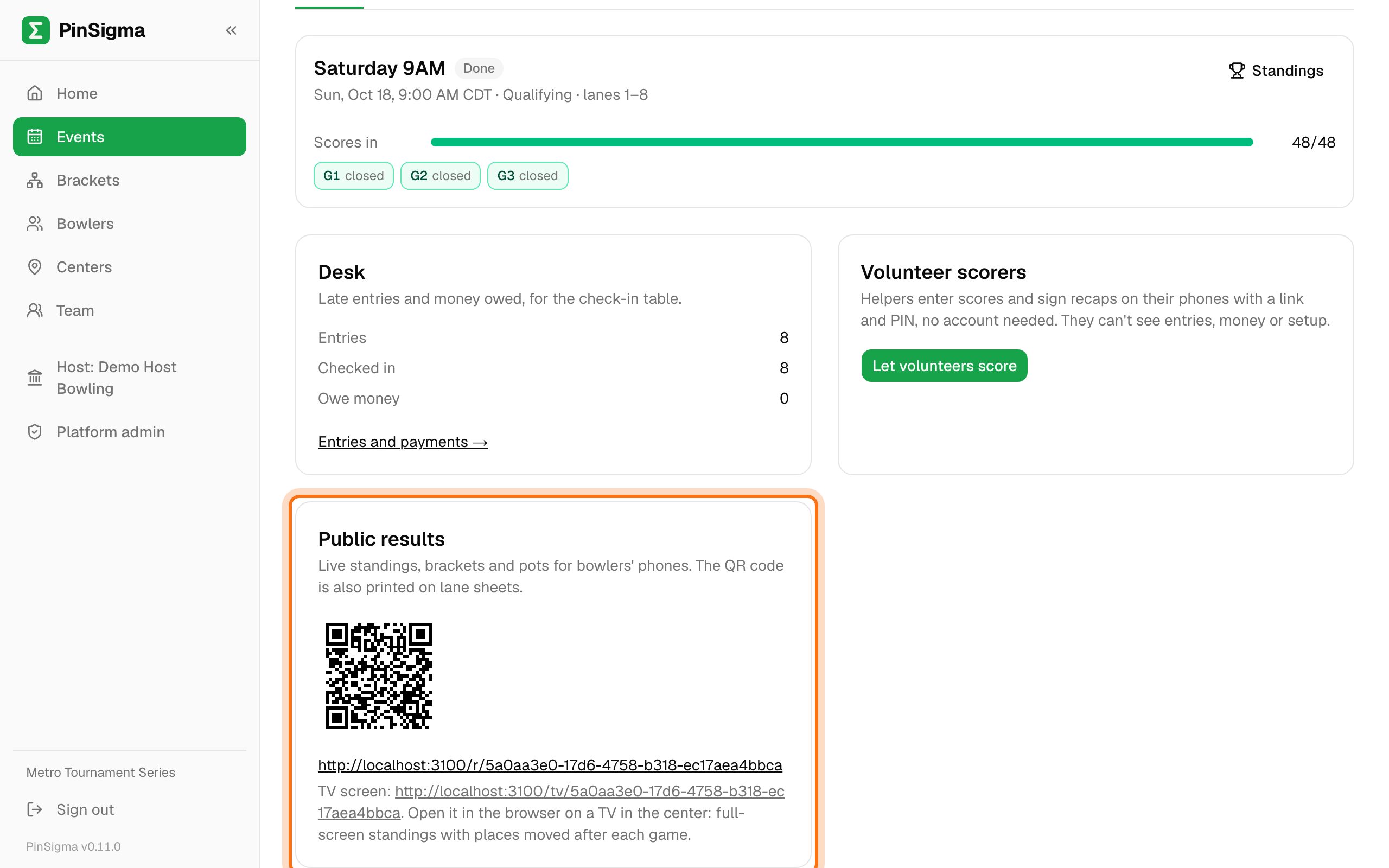
The TV screen link
With public results on, the event page has a TV screen link next to the live results link. Open it in the browser on any TV: a smart TV, a Fire TV Stick or Chromecast, or a laptop on HDMI. Leave it running; it keeps the screen awake and refreshes on its own.
The board
- 2
Standings, game by game
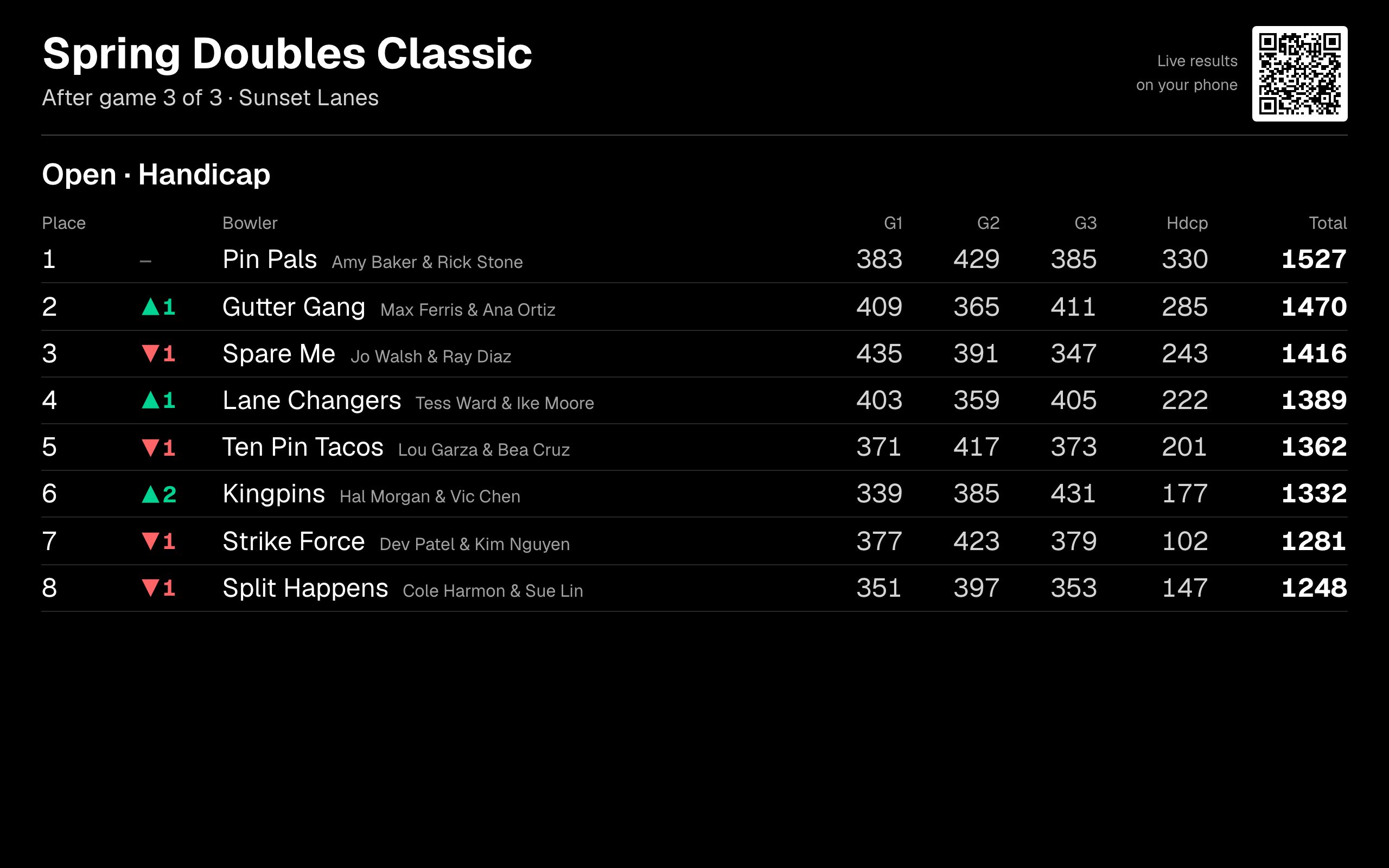
Each division's standings, big enough to read across the house. They move only when a game is closed, so half-entered lanes never shuffle the board. Green ▲2 means up two places since the last game, red ▼ down, a dash unchanged. The cut line shows when the round has one.
- 3
It rotates on its own
Long lists page through 12 at a time, a screen every 12 seconds with page 2 of 4 in the corner, then the next division. Standings only: brackets stay on bowlers' phones and the bracket sheets. The QR code in the corner opens live results on phones.