Setup
Brackets and pots at a tournament
Add bracket pools and high game pots to a tournament as side events, take them with each entry, and follow them live: drawn when the squad locks, results as scores come in, winnings paid with the prize list.
Recorded with PinSigma v0.11.0 · updated October 18, 2026
Set up side events
- 1
Side events
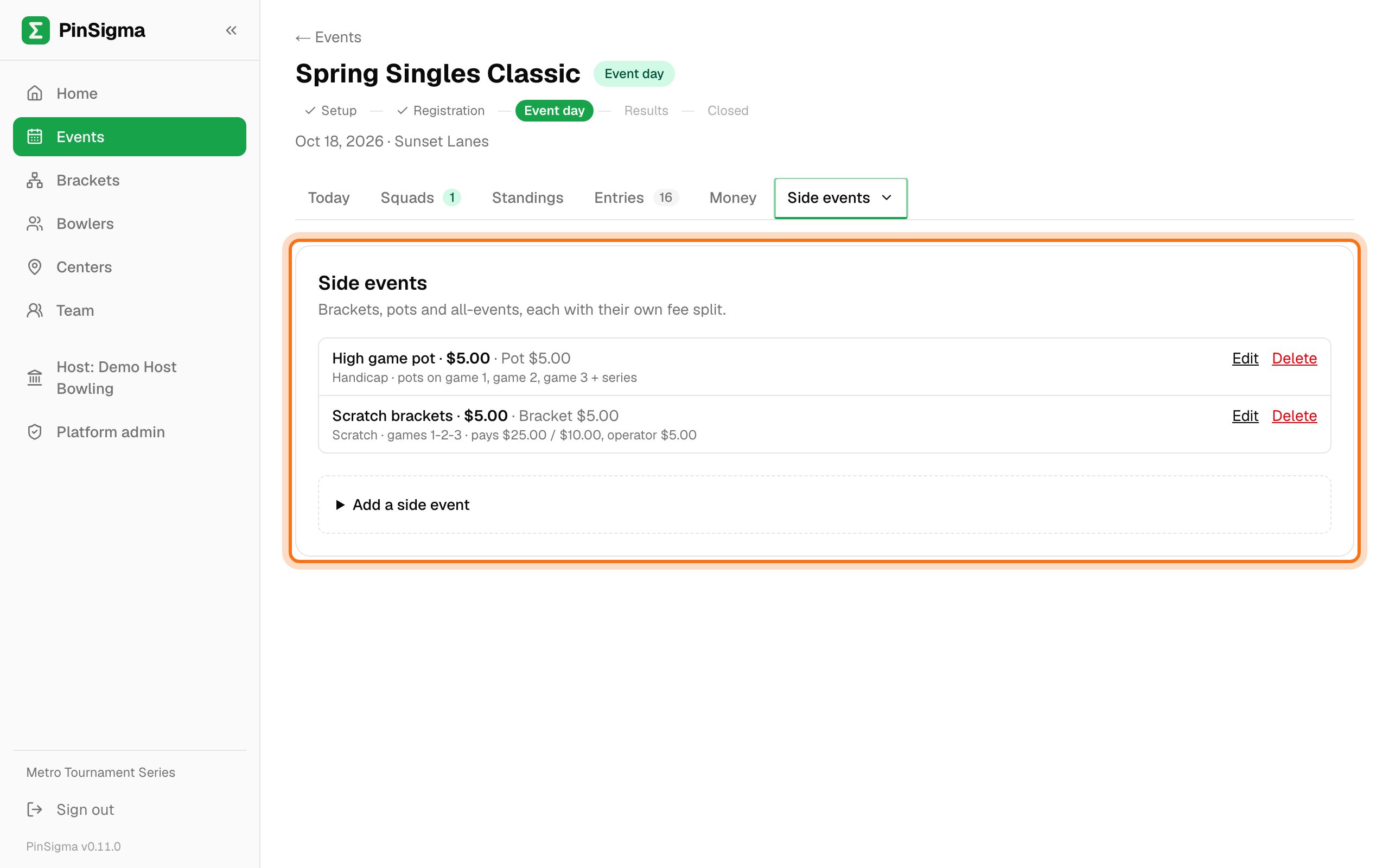
Add a bracket pool or a high game pot under Side events, before entries open. Each has its own fee and fee split. Brackets choose scratch or handicap, the three games (forward, or reverse from the last game) and what second place and the operator take; the standard $5 bracket pays $25 and $10. Pots choose scratch or handicap and which games pay.
- 2
Take them with each entry
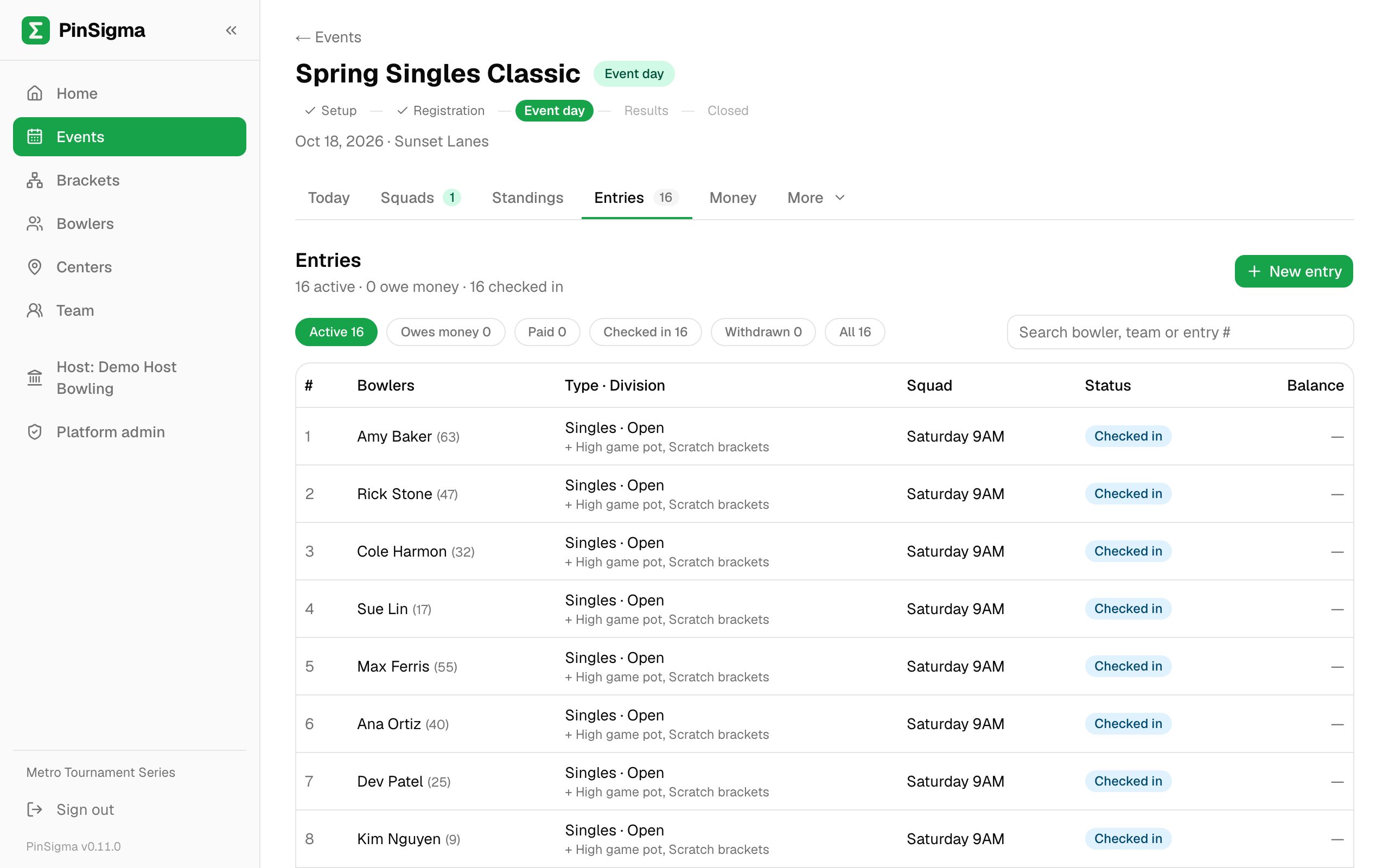
At the desk or online, each entry picks how many brackets (or All) and which pots, and pays for them with the entry fee.
On event day
- 3
Drawn when the squad locks
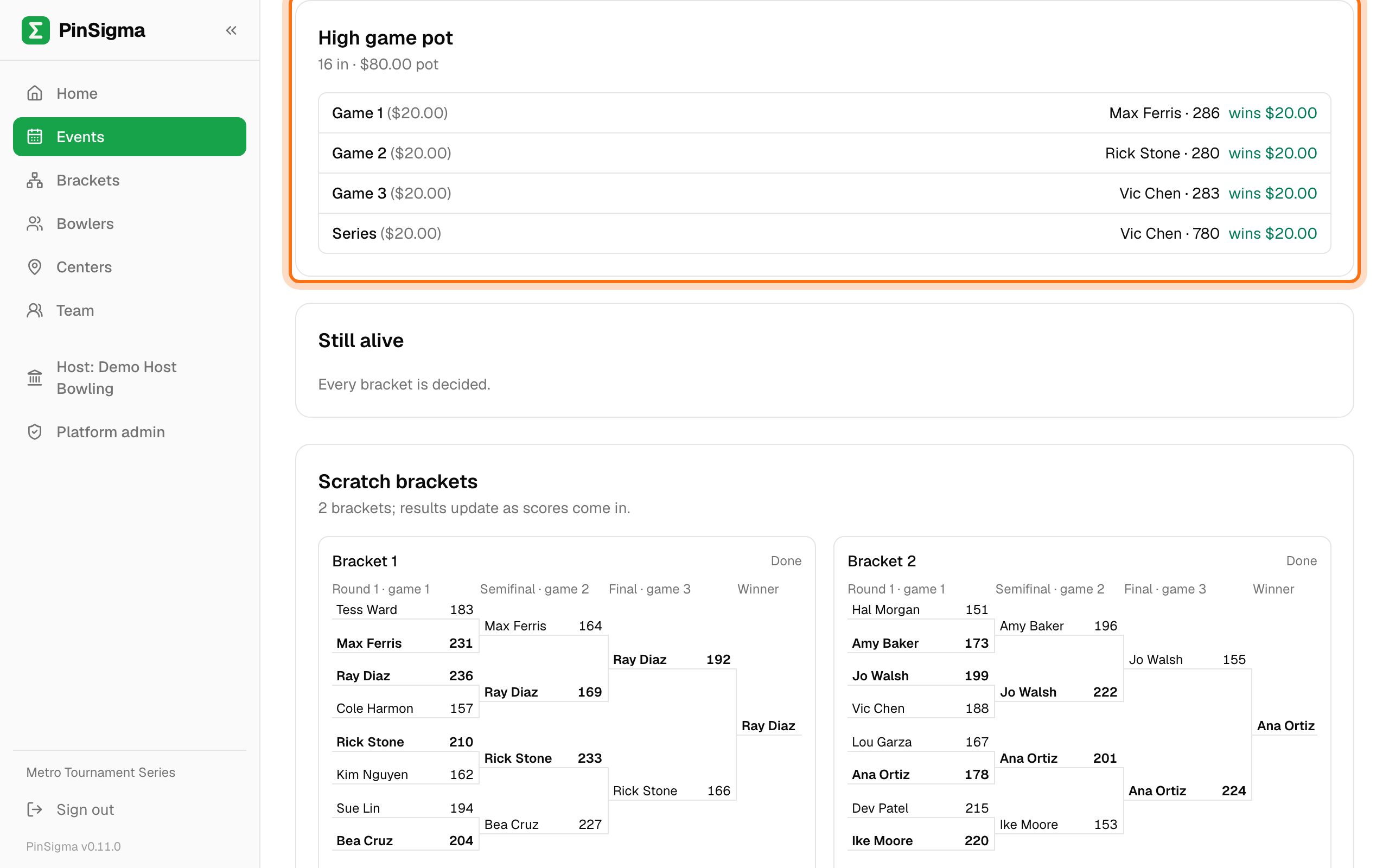
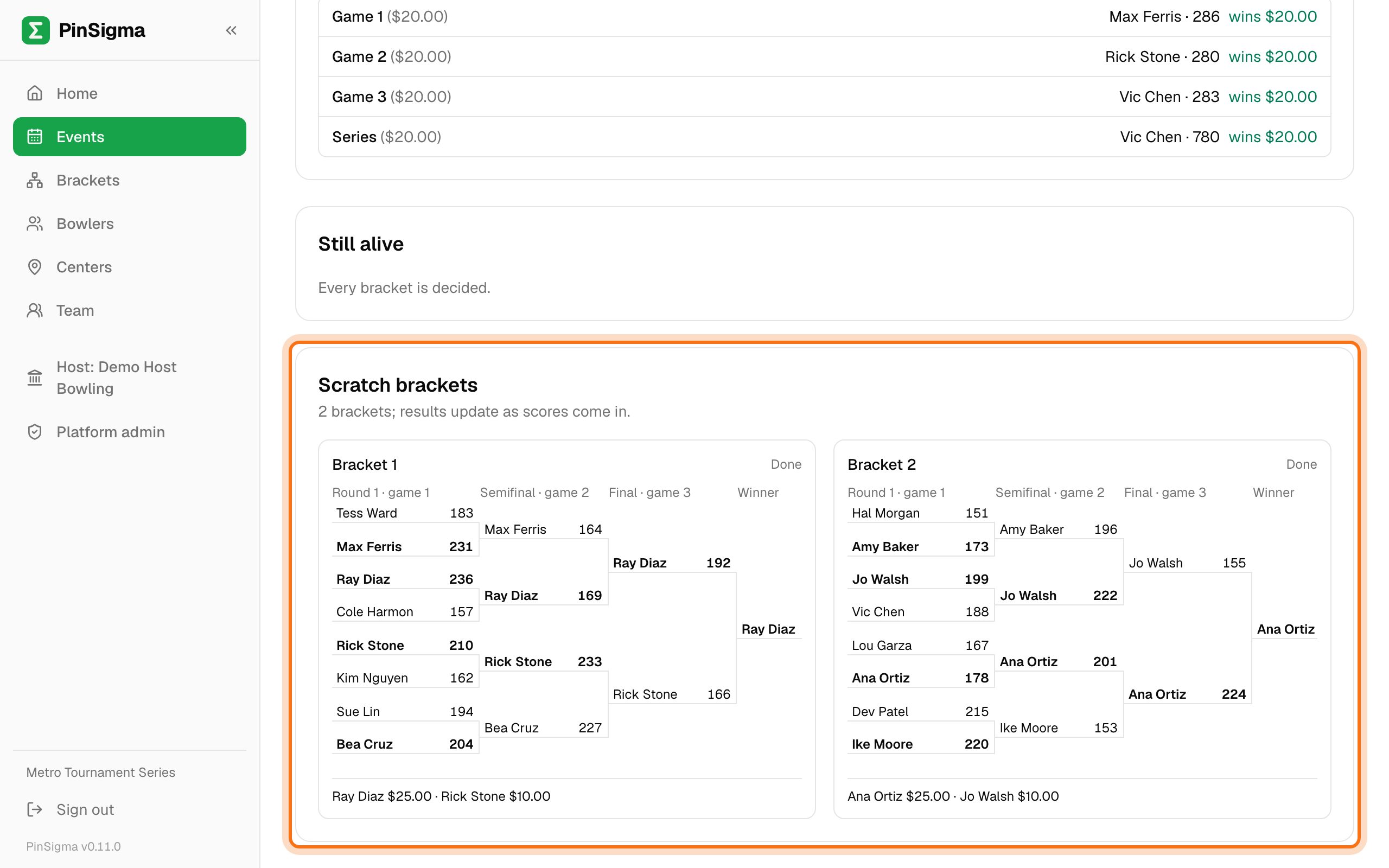
Locking the squad draws the brackets from a stored seed, so the draw can be shown again. Below the lanes: who's still alive and who they bowl next, each bracket drawn as a bracket, and the pots, all updating as scores come in. Print the bracket sheets and the alive list for the desk.
- 4
Ties and payouts
Pots pay the best game (and series) among those who joined. Bracket ties go to the higher next game; still tied, both move on and share the spot, and a tied final splits first and second. Once results are certified, bracket and pot winnings join the prize list payouts, and the operator's cut is counted at close-out.