Brackets
Bracket sign-up from phones
Let bowlers sign themselves up for tonight's brackets on their phones: they scan a code, enter the PIN from the desk, pick their name, lane and brackets, and pay you cash.
Recorded with PinSigma v0.11.0 · updated October 18, 2026
At the desk
- 1
Turn on phone sign-up
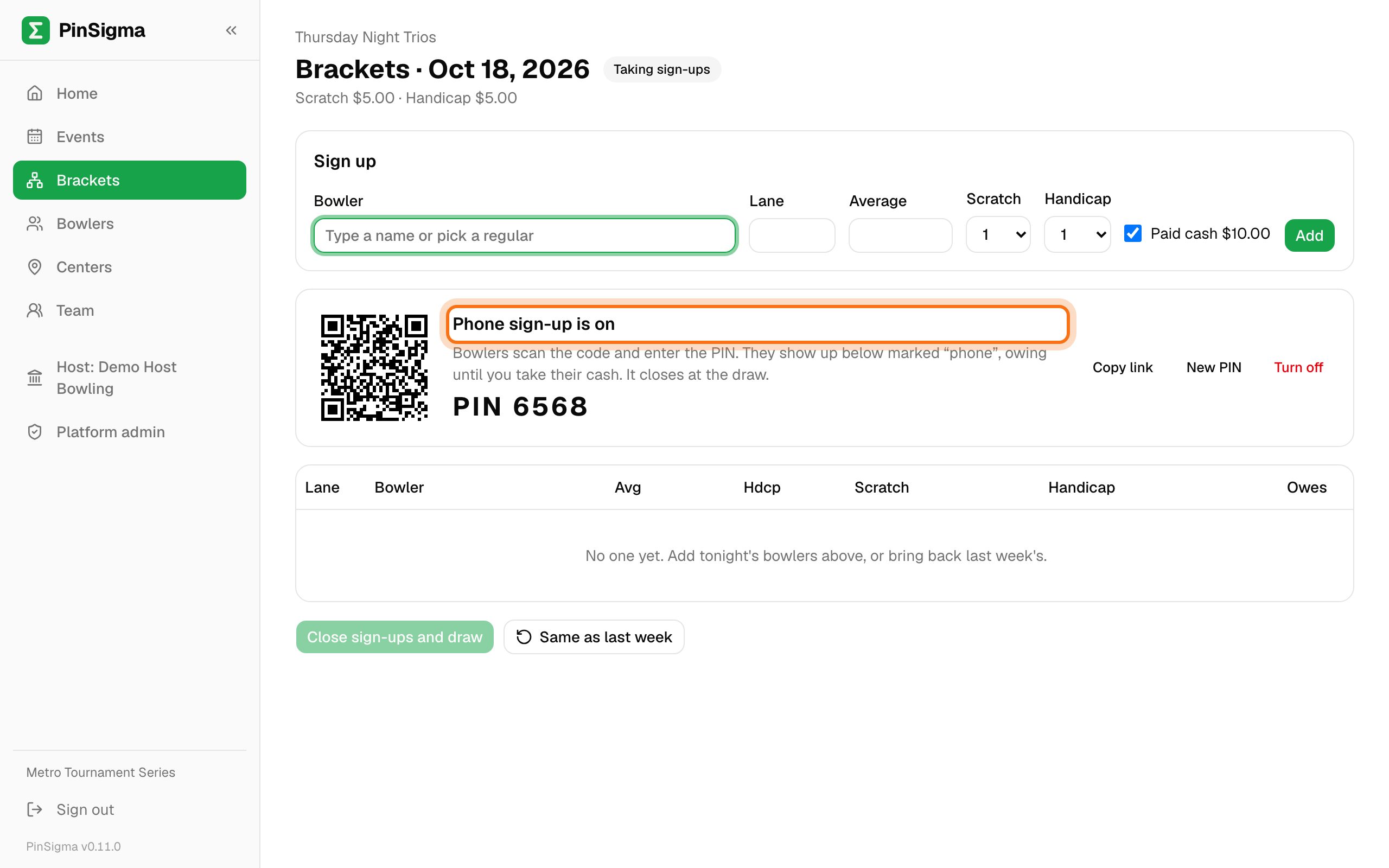
On tonight's sign-ups, Turn on phone sign-up shows a QR code and a 4-digit PIN. Put them where bowlers can see them, or read the PIN out. It stays open until the draw; change the PIN or turn it off any time.
On a bowler's phone
- 2
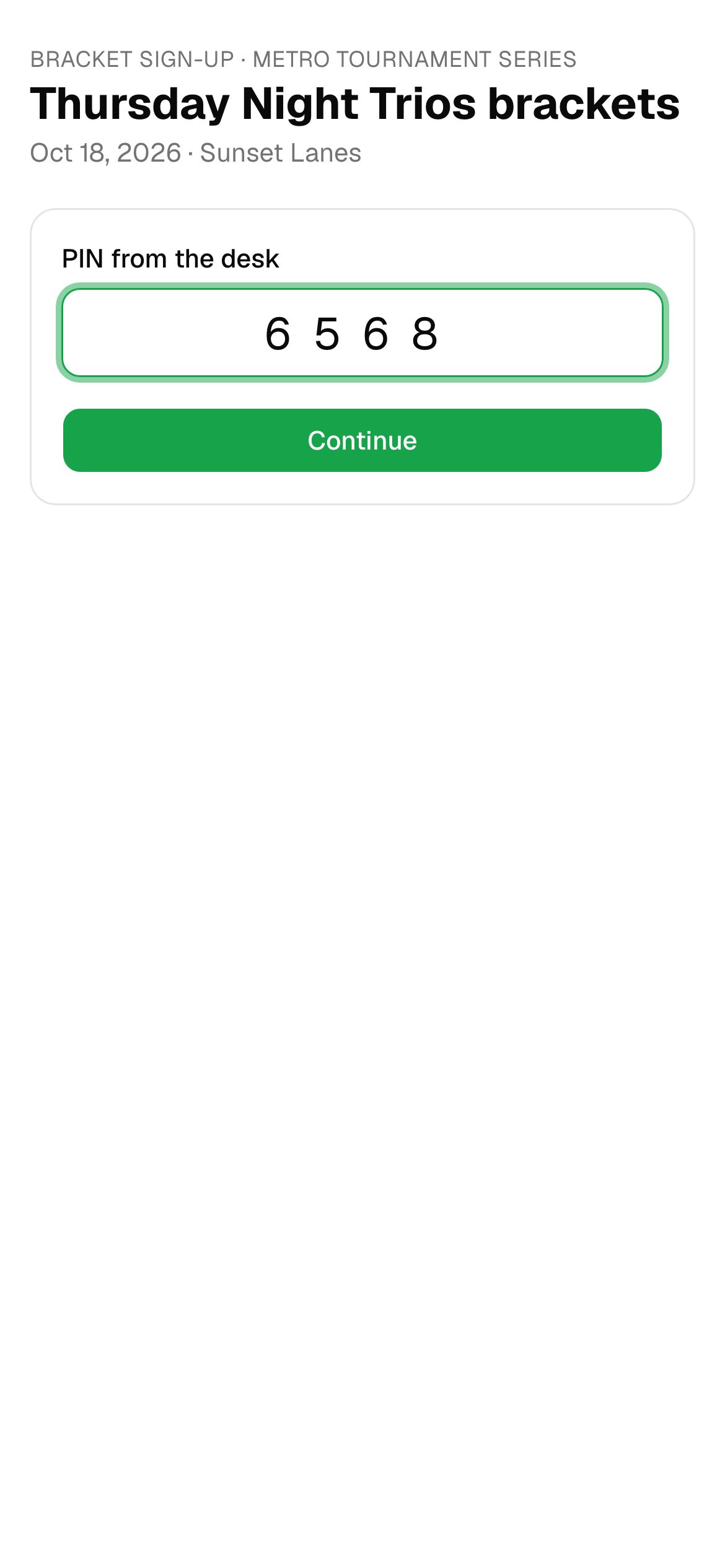
Scan and enter the PIN
The code opens tonight's sign-up. The PIN from the desk keeps it to bowlers in the house.
- 3
Pick your name, lane and brackets
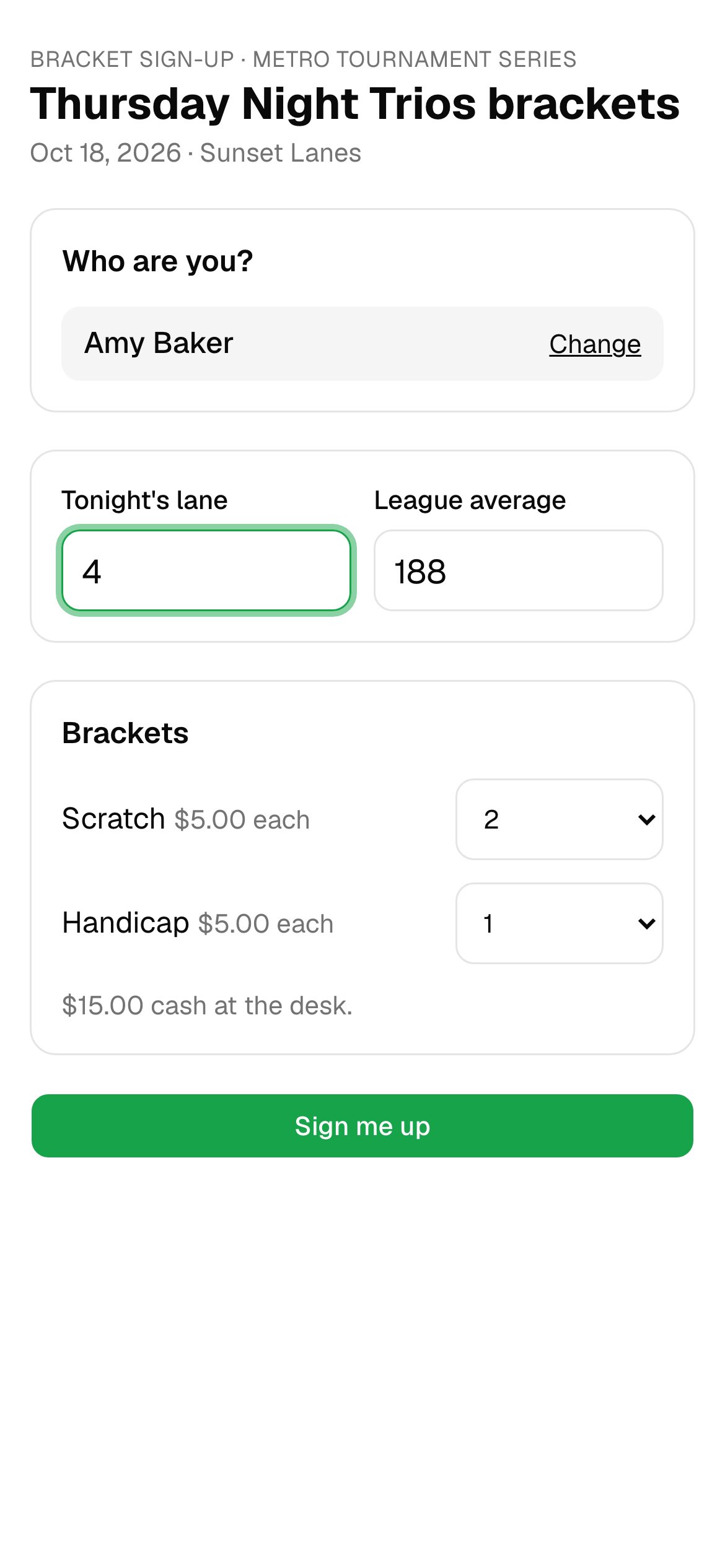
Regulars pick their name and last week's average fills in (update it if it's changed); new bowlers type their name and average. Then tonight's lane and brackets in each pool.
- 4
Pay at the desk
They see what they owe. At the desk they show up marked phone, owing until you tap Take for their cash.