Your organization
Invite your team
Give other people access to run your events: invite them by email as a member, admin or owner, and change roles or remove people later.
Recorded with PinSigma v0.11.0 · updated October 18, 2026
Invite someone
- 1
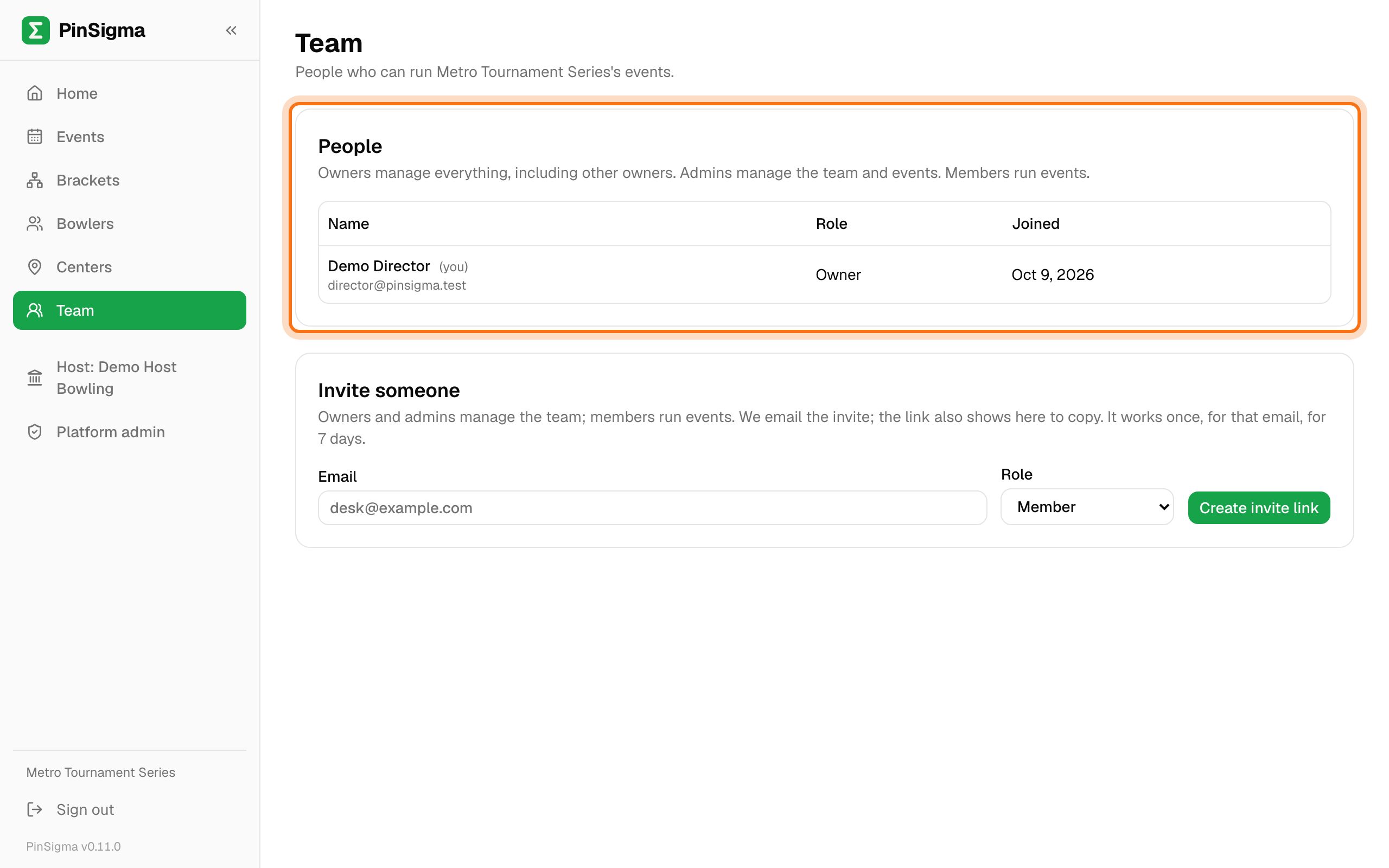
Open Team
Everyone who can run your organization's events, with their role.
- 2
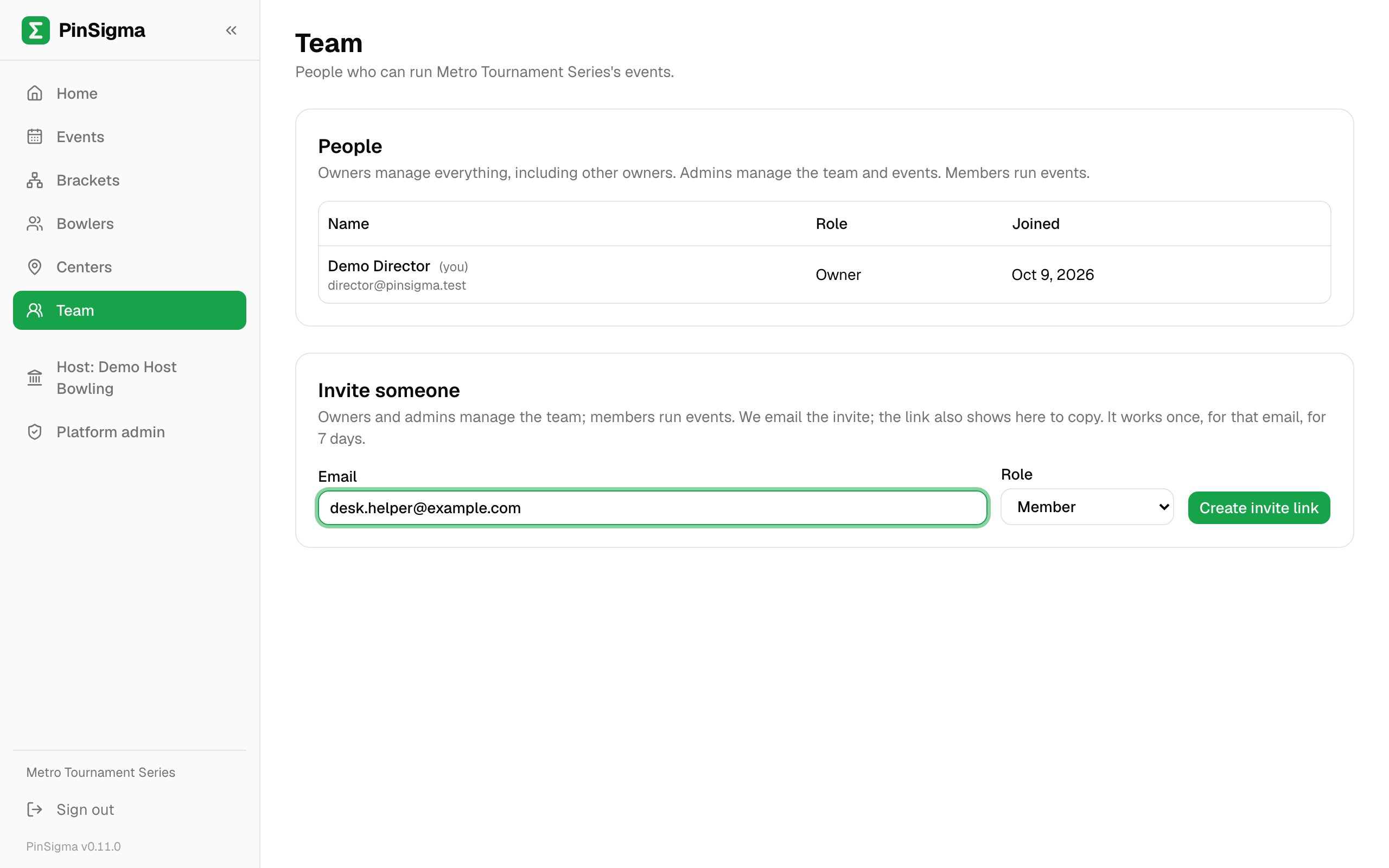
Invite by email
Members run events. Admins also manage the team. Owners manage everything, including other owners. Only owners can invite owners.
- 3
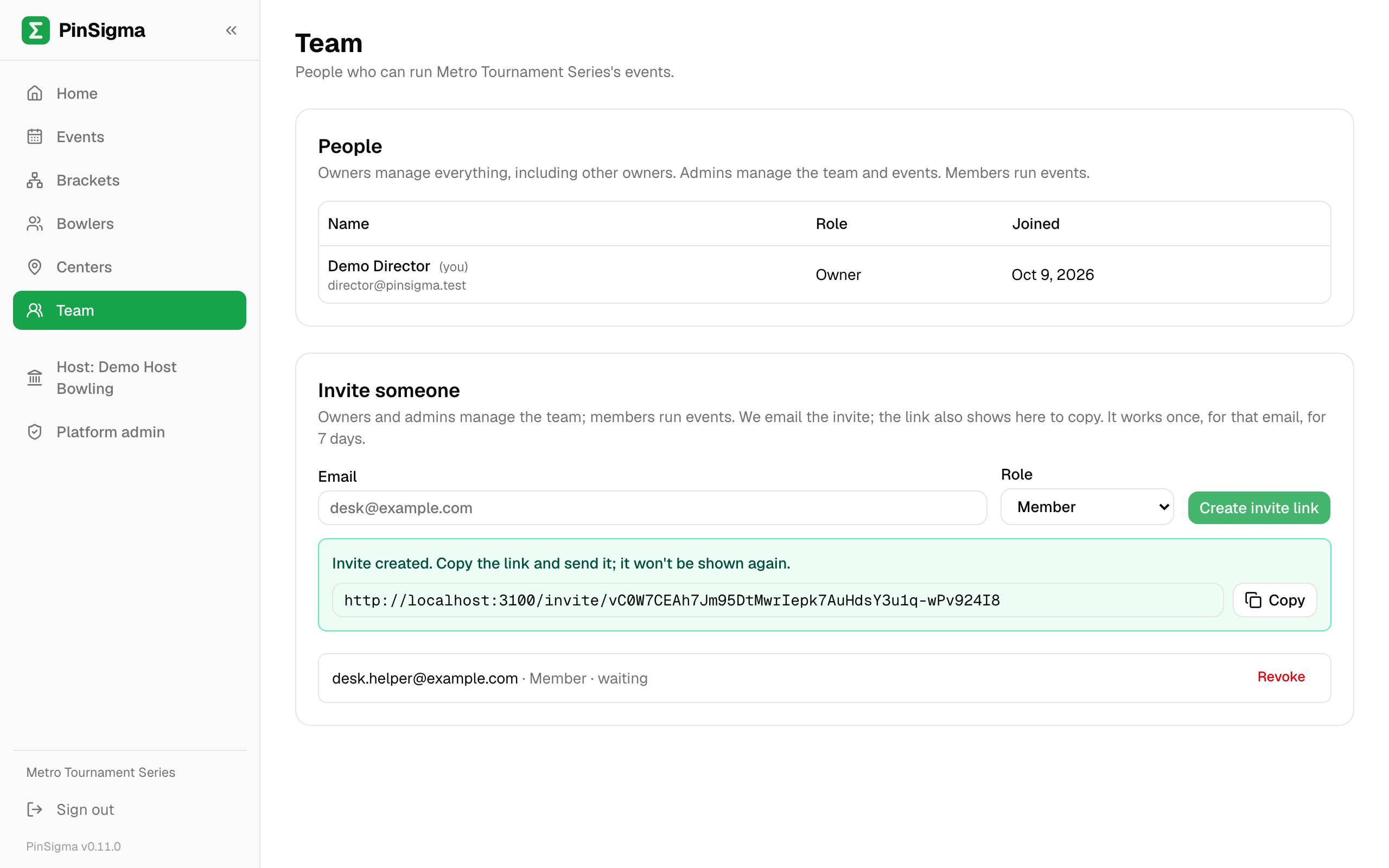
The invite is sent
PinSigma emails the invite; the link shows here too, to copy and send yourself. It works once, for that email, for 7 days. Revoke it any time before it's used.