Event day
Enter scores and sign recaps
Enter a squad's scores a game at a time at the desk, or a recap at a time on a phone, correct a score, and record that the bowler signed their totals.
Recorded with PinSigma v0.11.0 · updated October 18, 2026
At the desk: a game at a time
- 1
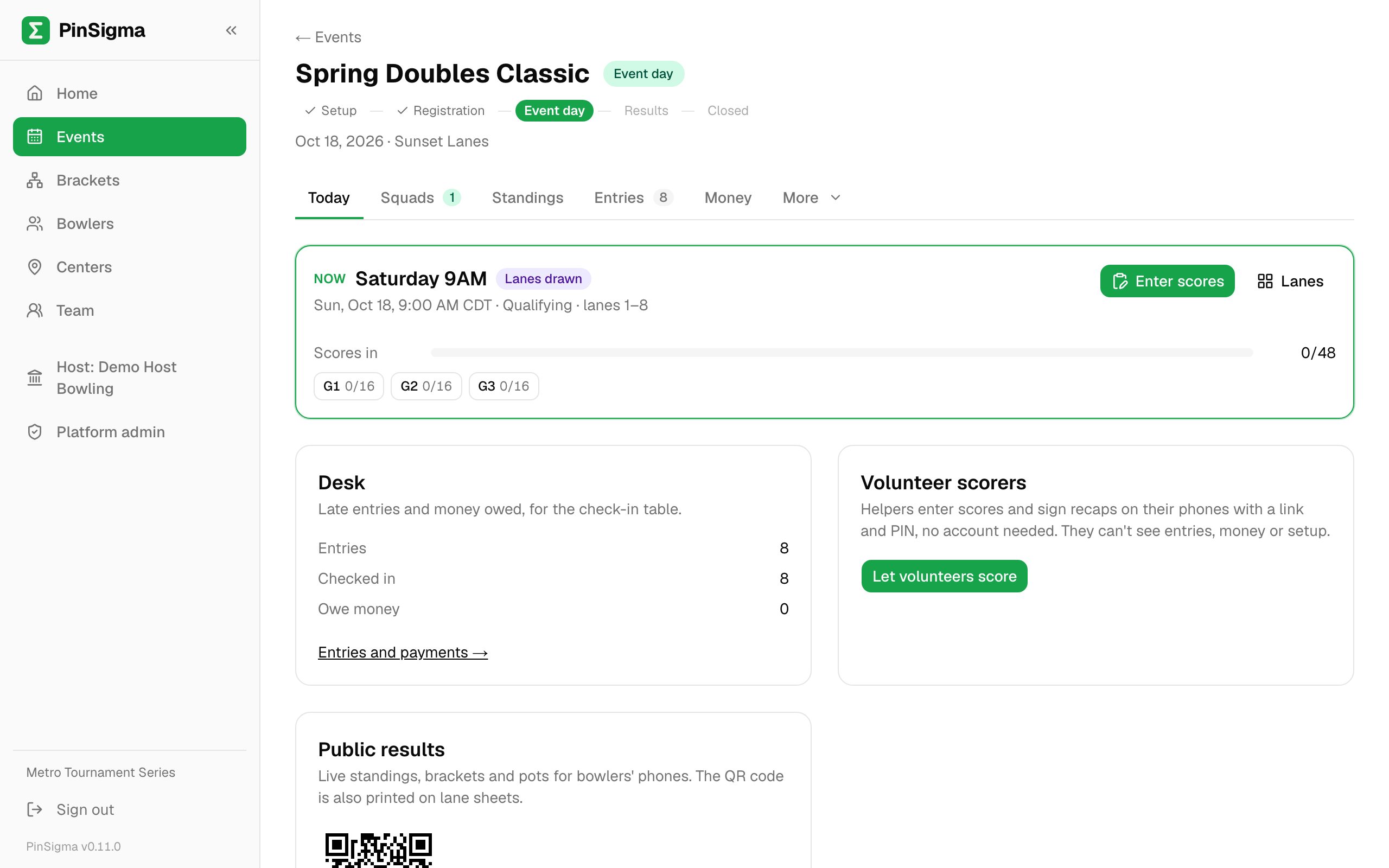
Start from Today
Each squad on the lanes has an Enter scores button. The squad that needs attention is marked Now.
- 2
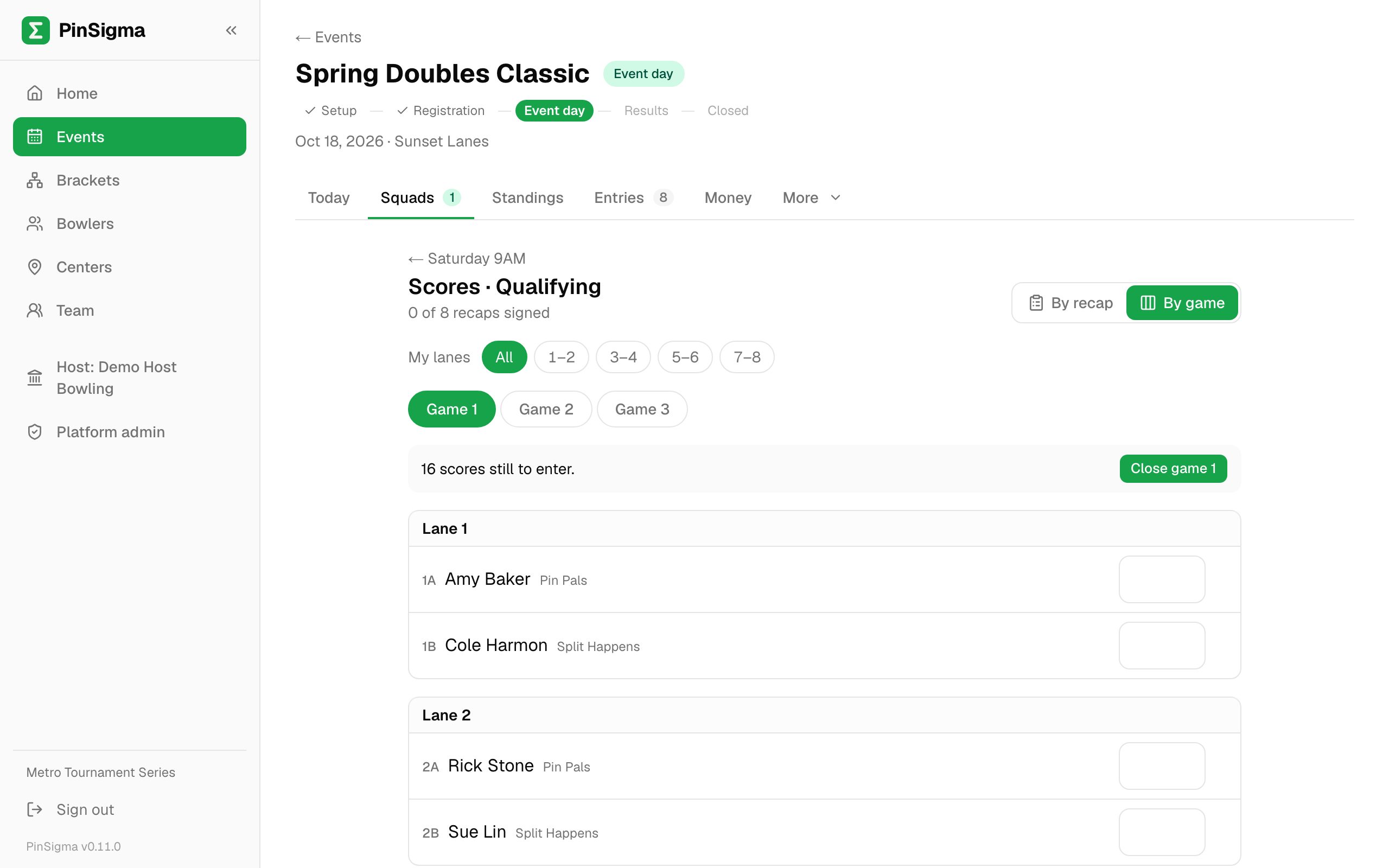
Choose By game
By game lists every bowler for one game, lane by lane: the fastest way to key in from the monitors at a laptop.
- 3
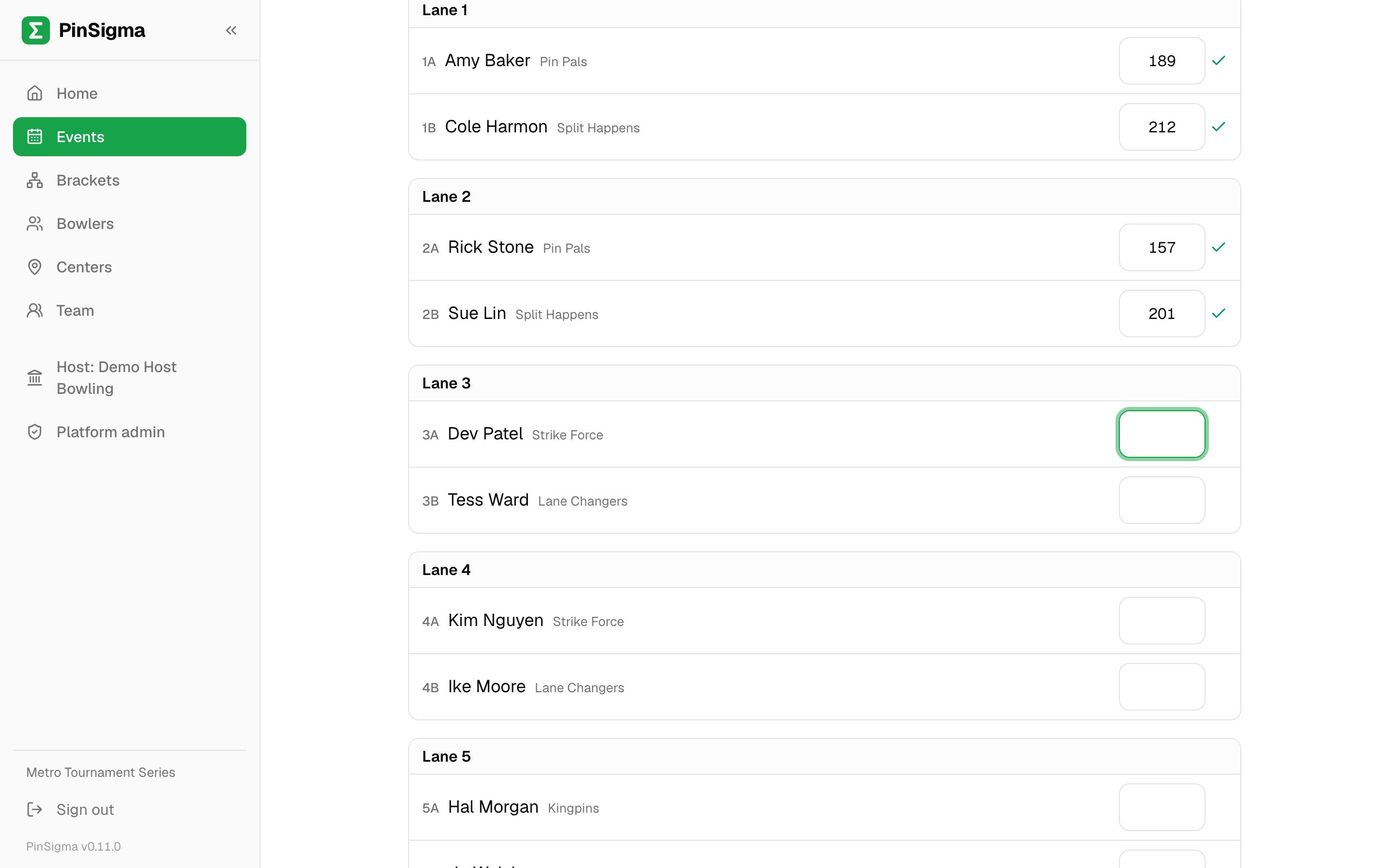
Type a score, press Enter
Enter saves the score and jumps to the next bowler, so you can keep typing. A check mark means it's saved.
- 4
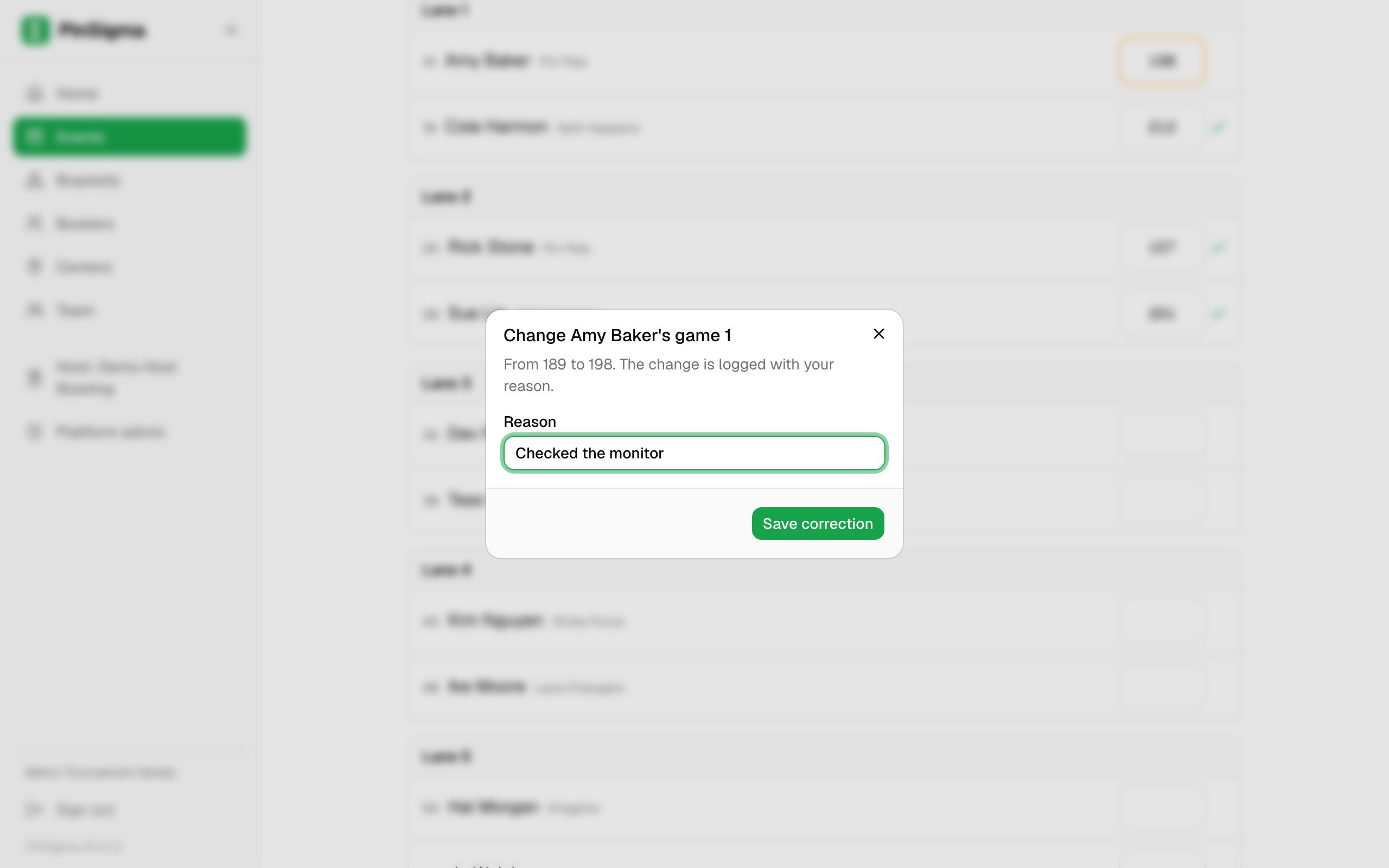
Correct a score
Changing a score that's already in asks for a reason. The change is logged with who made it, when, and the old and new scores.
On a phone: a recap at a time
- 5
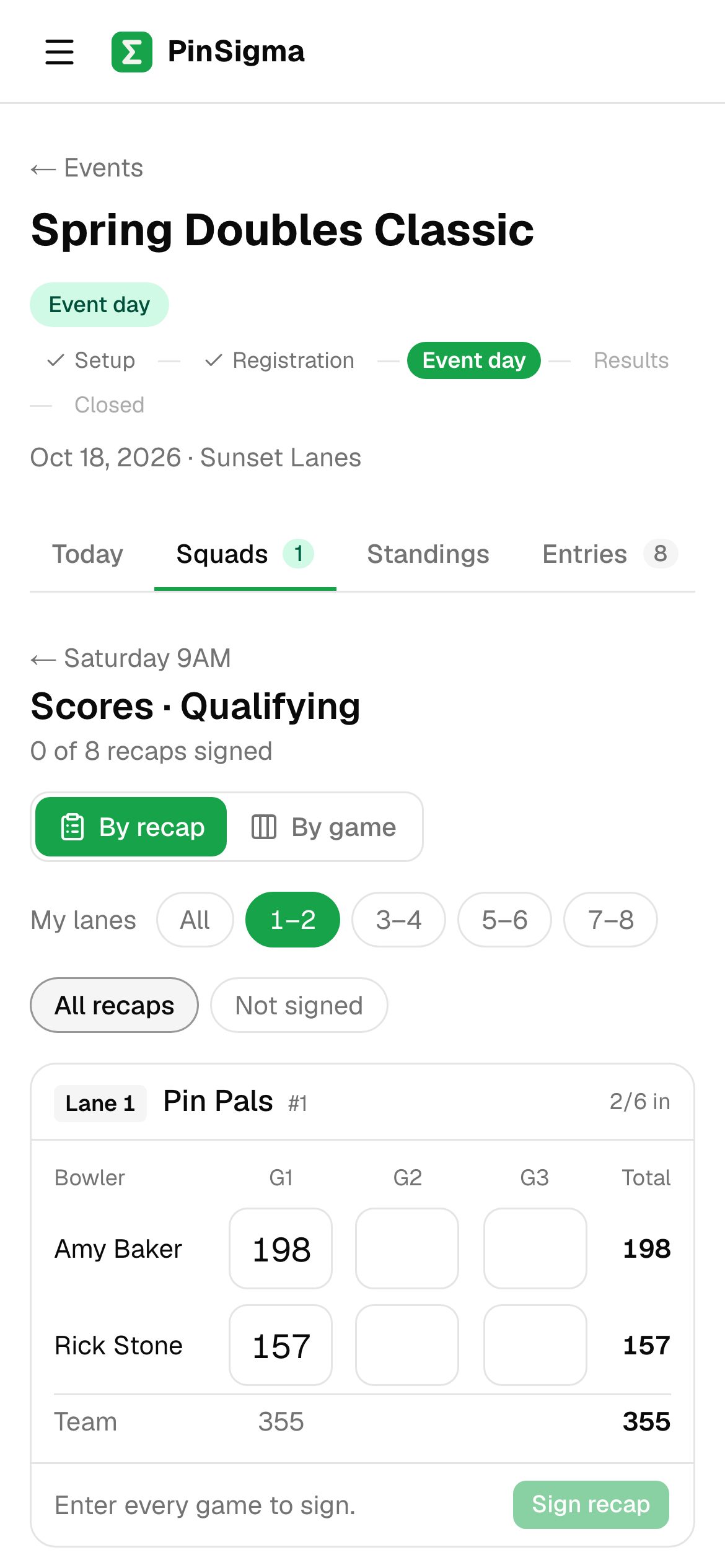
Choose By recap and your lanes
By recap shows one card per entry with all its games, like the recap sheet. Pick the lanes you're covering.
- 6
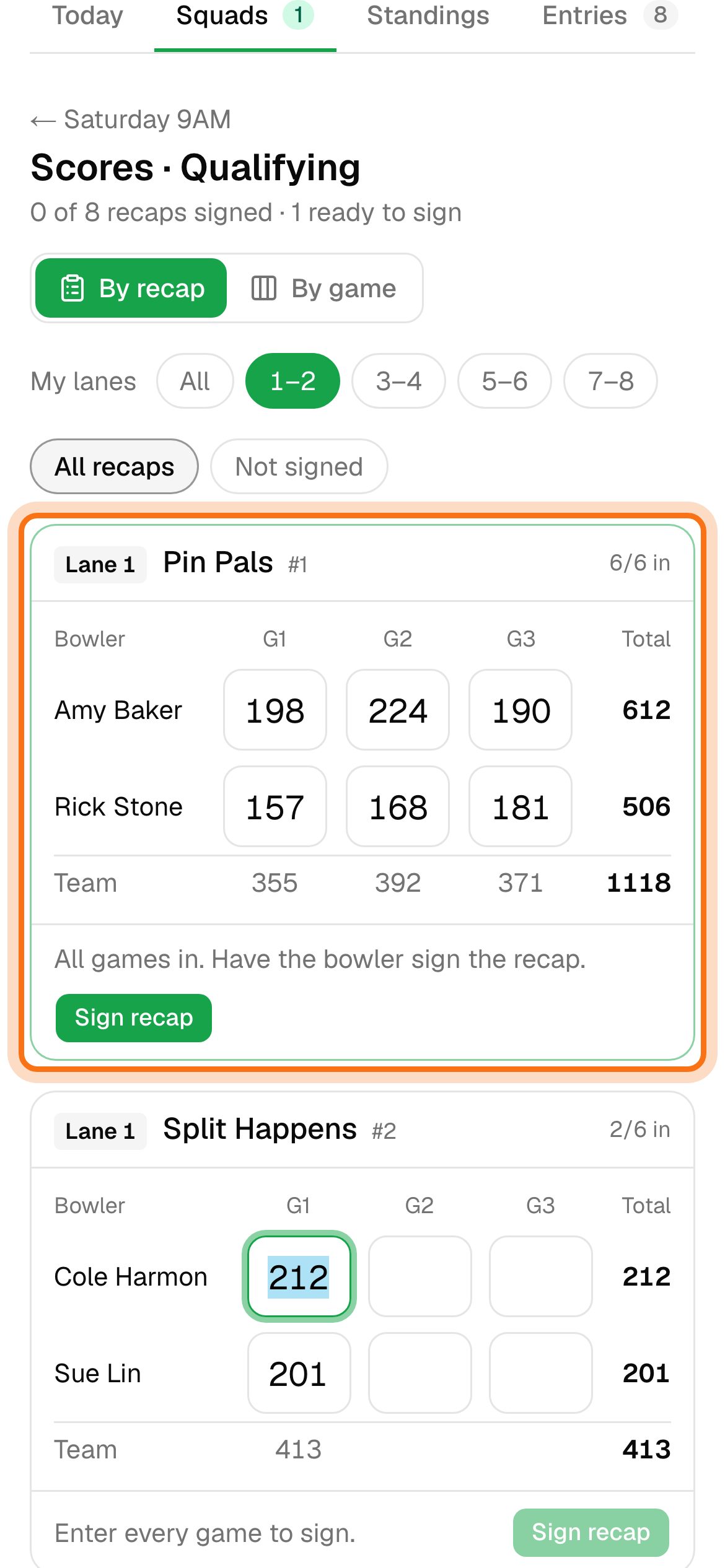
Enter every game
Fill in each bowler's games; totals and the team total add up as you go. Once every game is in, Sign recap lights up.
- 7
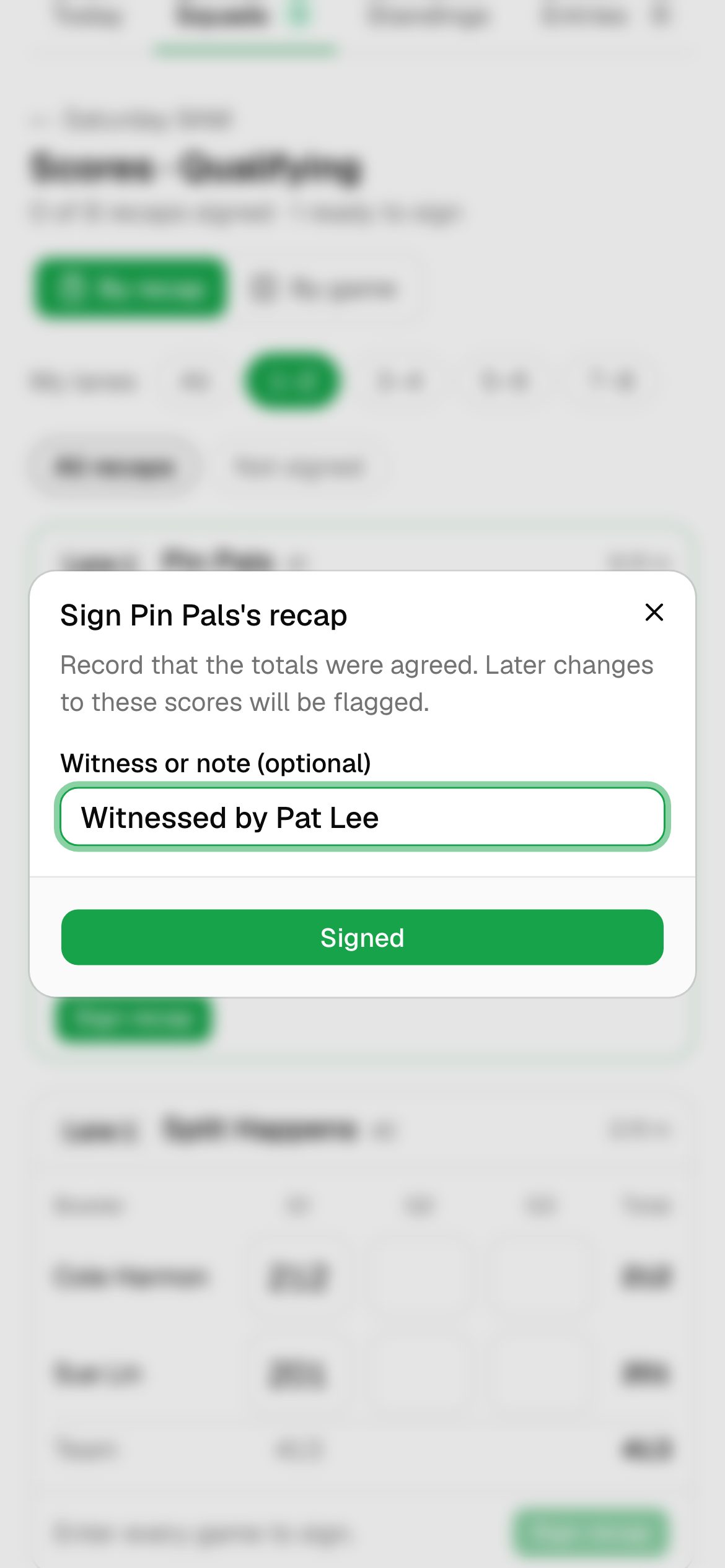
Record the signature
When the bowler signs the recap, tap Sign recap and note the witness if there is one.
- 8
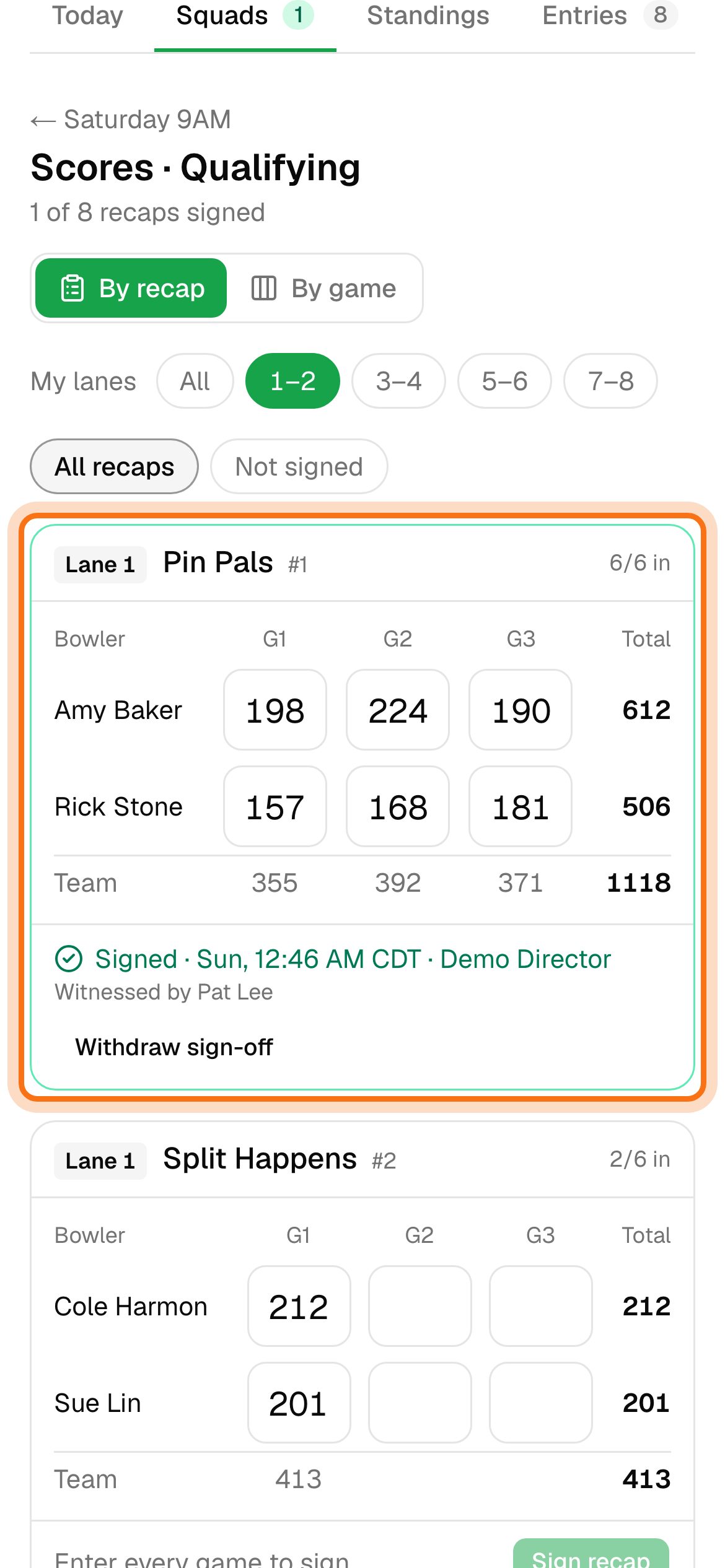
Signed
The recap shows who recorded the signature and when. If a score changes afterwards, it's highlighted against the signed totals so it gets signed again.