Registration
Take entries and payments at the desk
Add an entry for walk-ups or phone-ins, find bowlers already on file, take payment, and collect from entries that still owe.
Recorded with PinSigma v0.11.0 · updated October 18, 2026
Add an entry
- 1
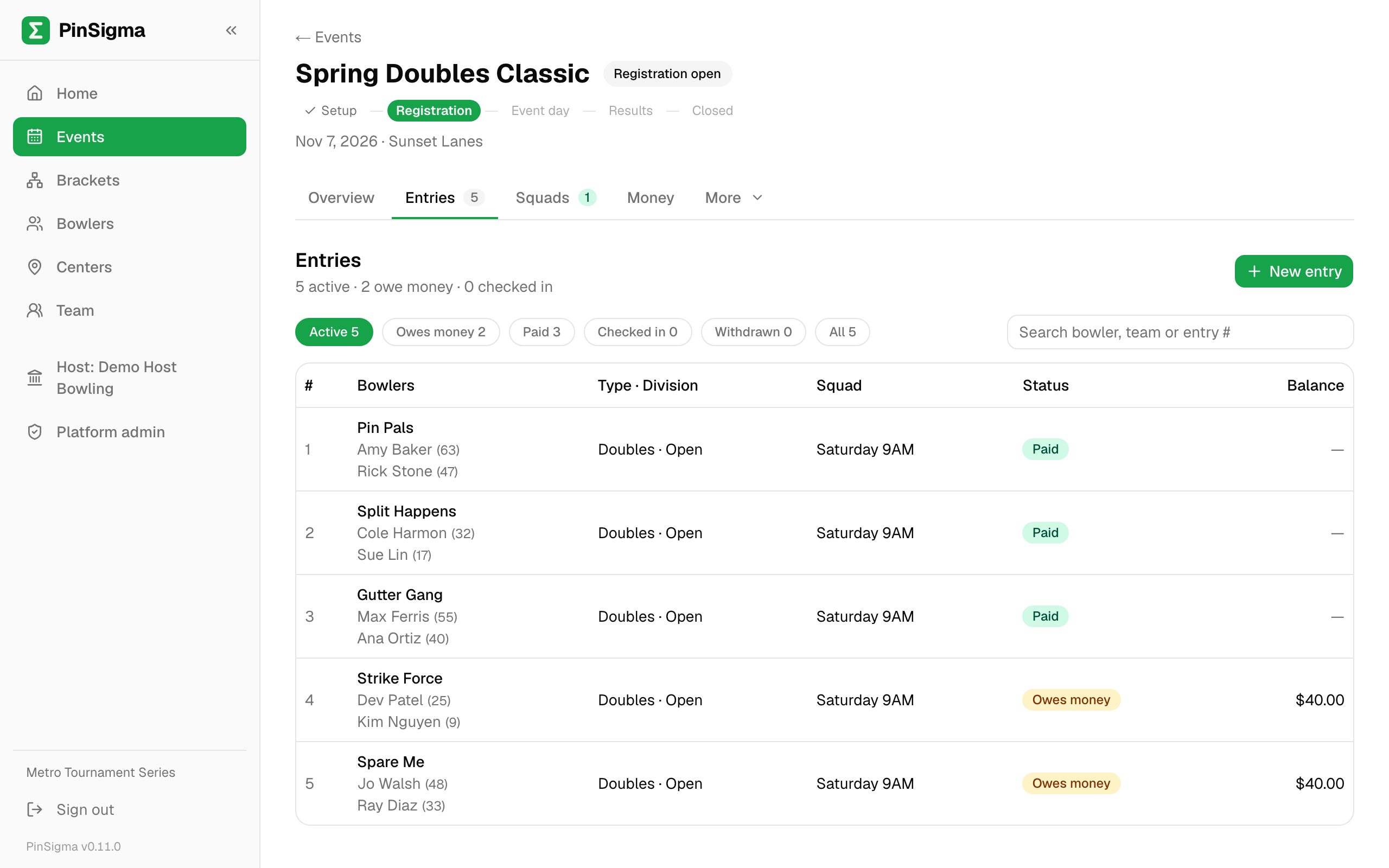
Open Entries
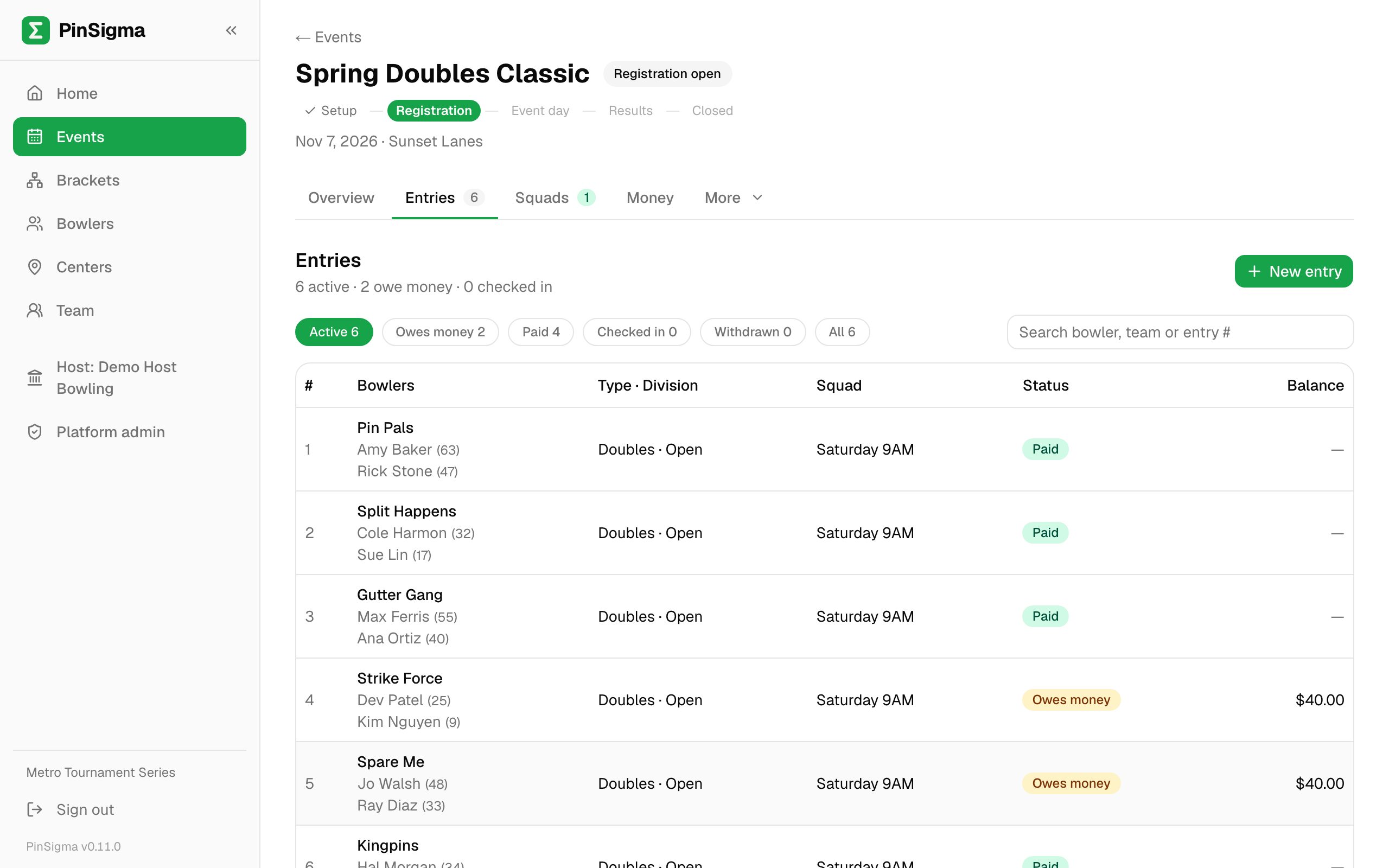
Every entry with its bowlers, squad, status and balance. Filter by who owes money, who's paid or checked in, or search by name.
- 2
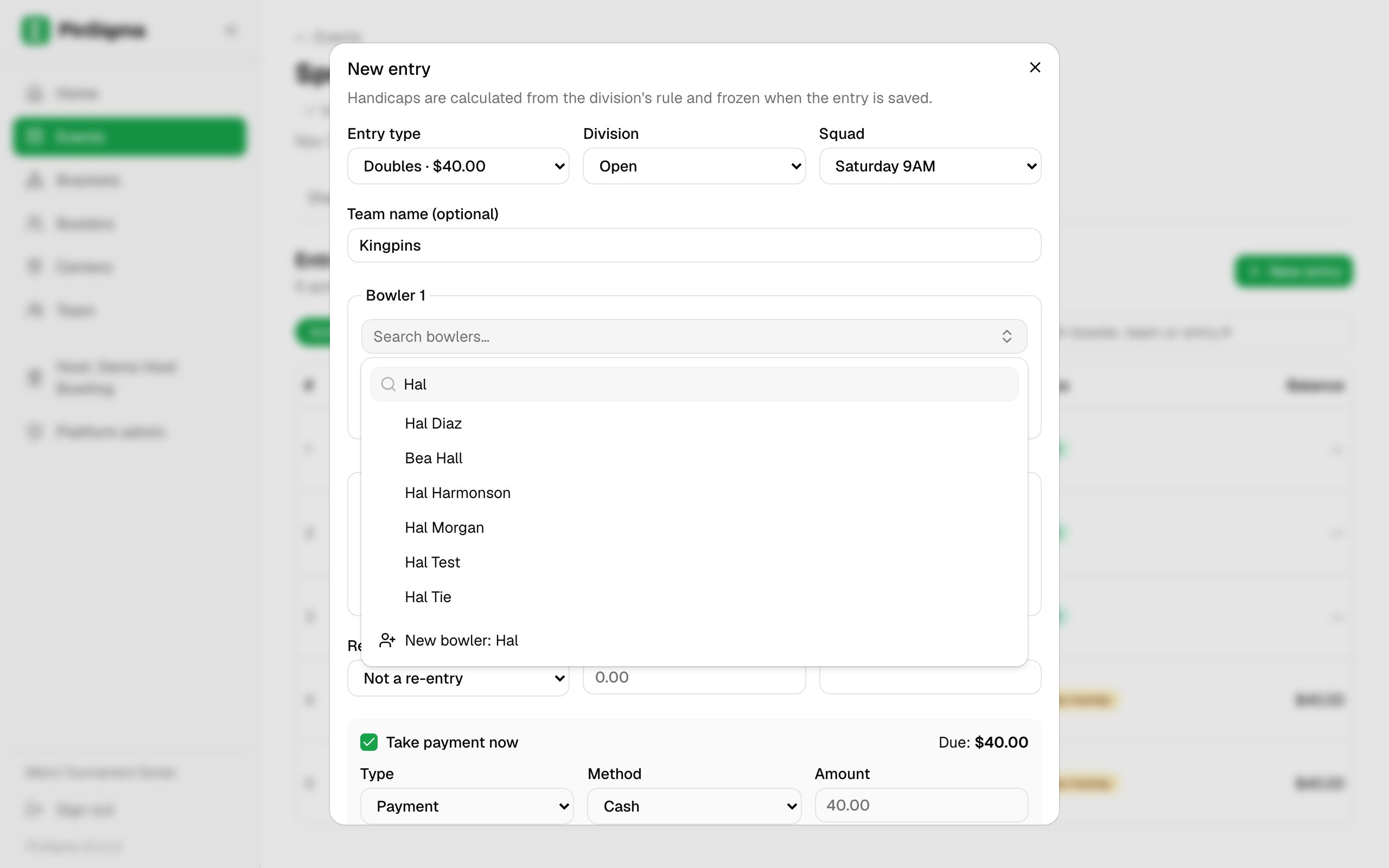
Find the bowler
Search by name or USBC ID. Bowlers who've bowled with you before are on file with their details; pick New bowler for someone new.
- 3
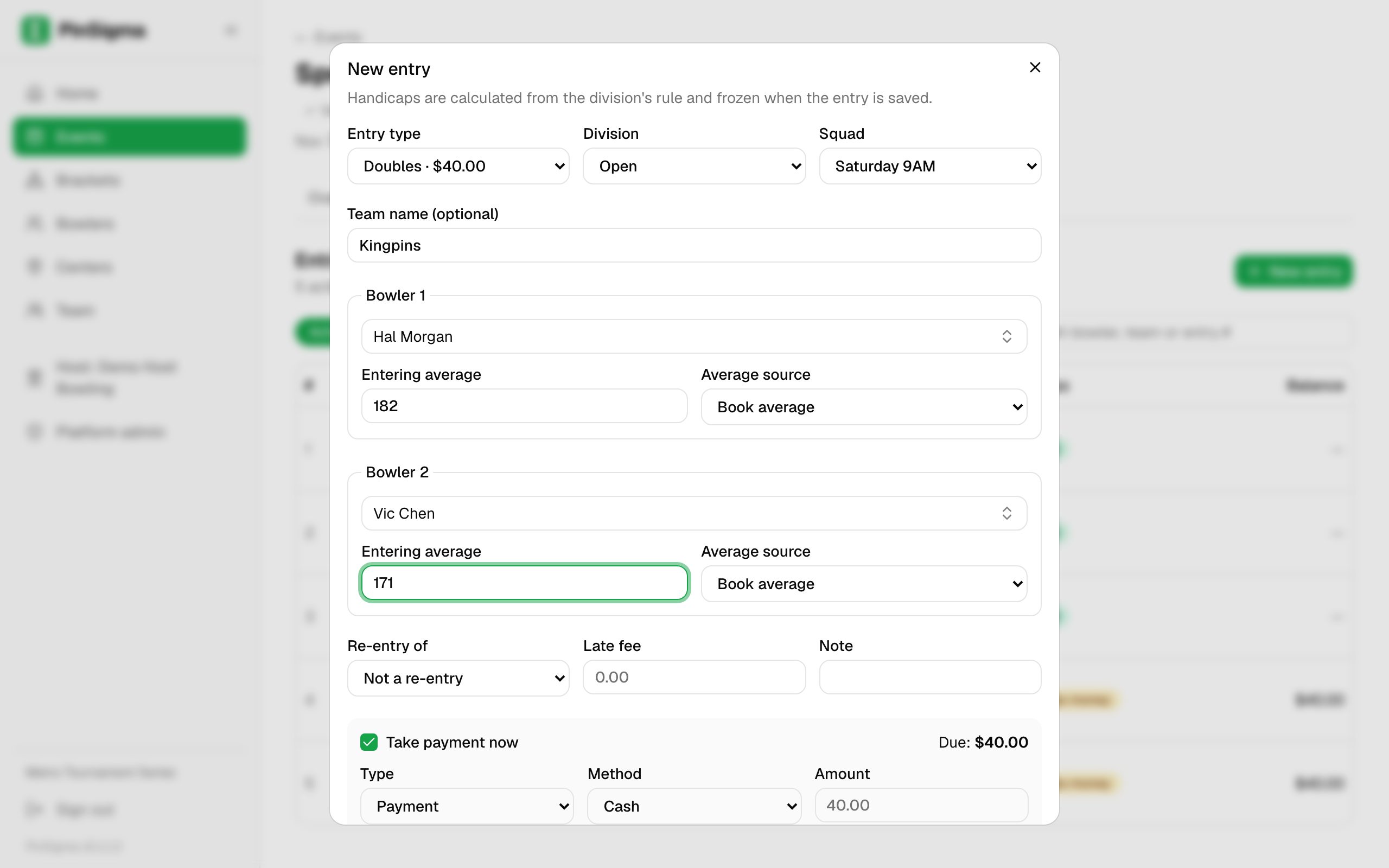
Check the averages
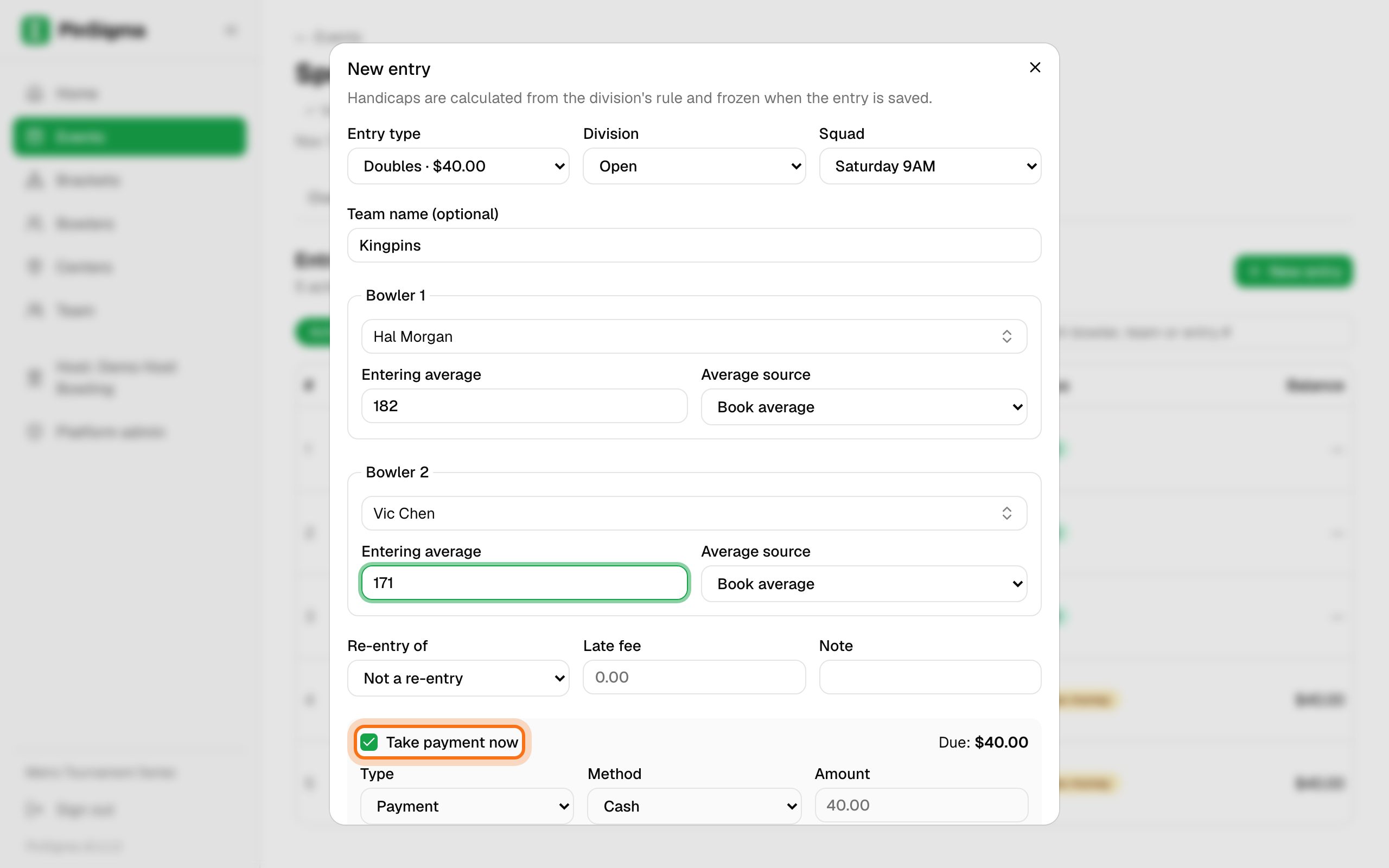
For bowlers on file, the entering average fills in from their averages on file under USBC Rule 319, converted to the event's lane conditions, with the reason shown. Check it against their current average and change it if needed. The handicap is worked out and frozen with the entry.
- 4
Take payment
Take payment now is on: record cash, card or check for the amount due. Turn it off to take the entry and collect later.
- 5
The entry is in
It's numbered in sign-up order. Bowlers with an email get a receipt.
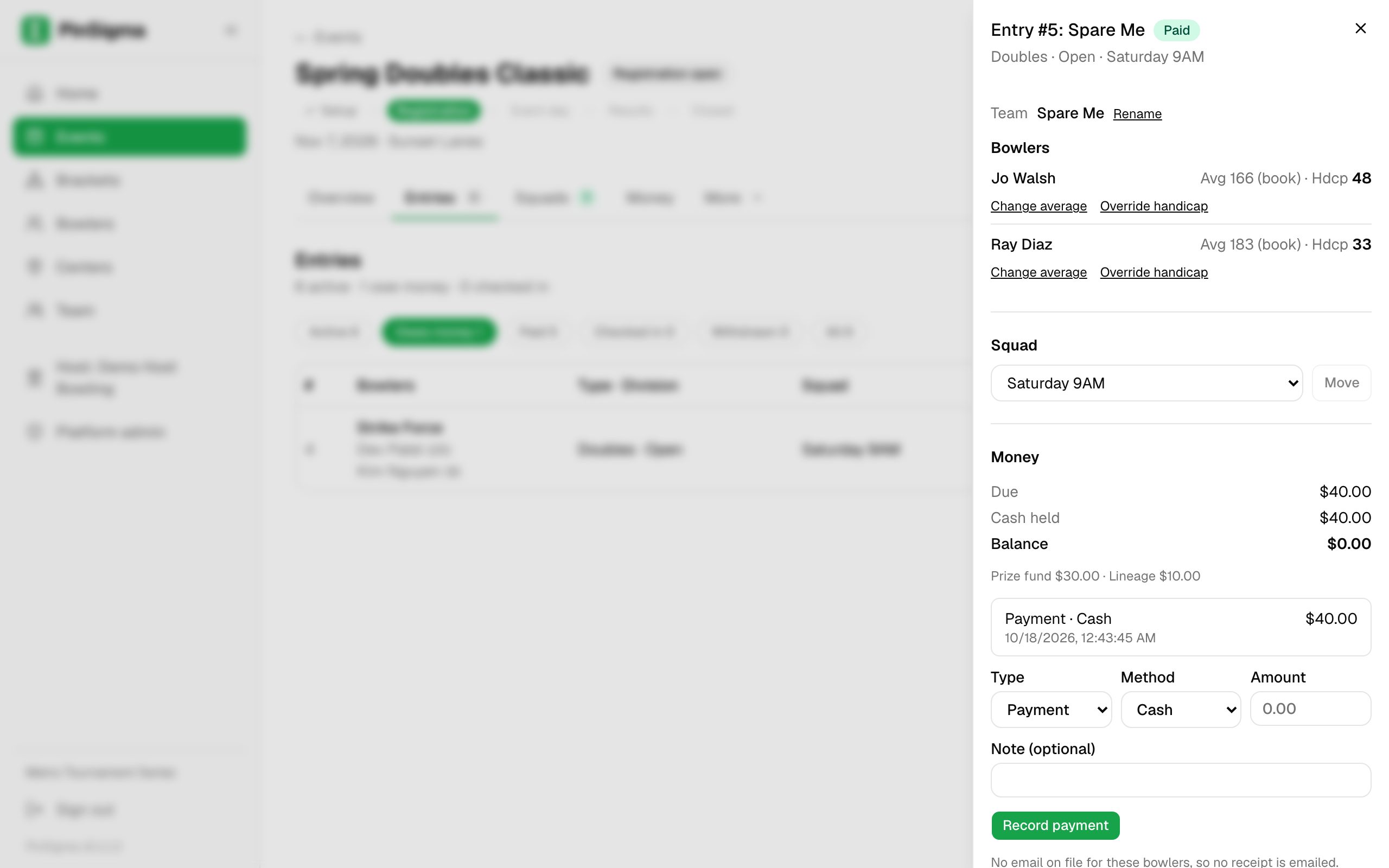
Collect from an entry that owes
- 6
Find who owes
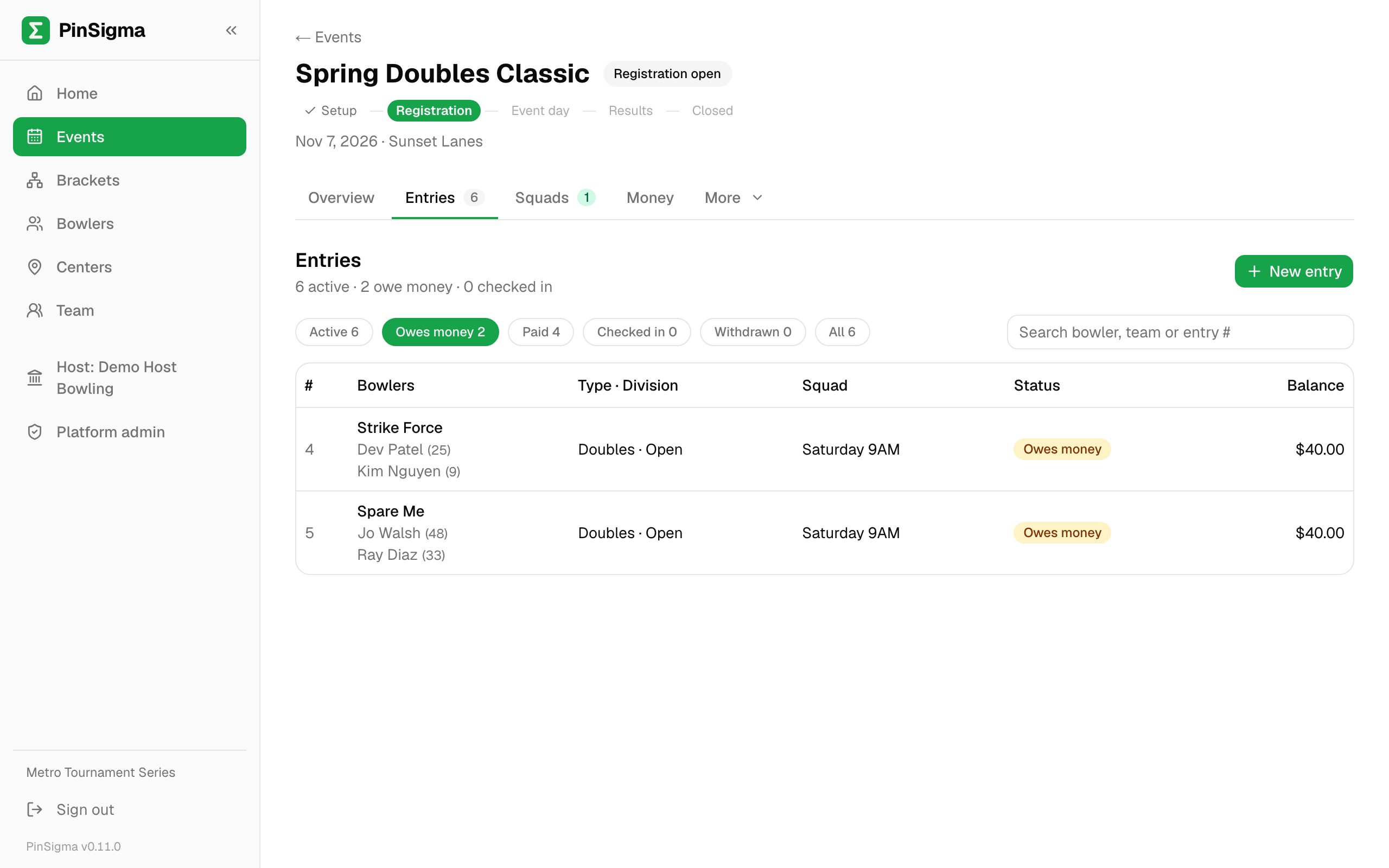
The Owes money filter shows every entry with a balance.
- 7
Open the entry
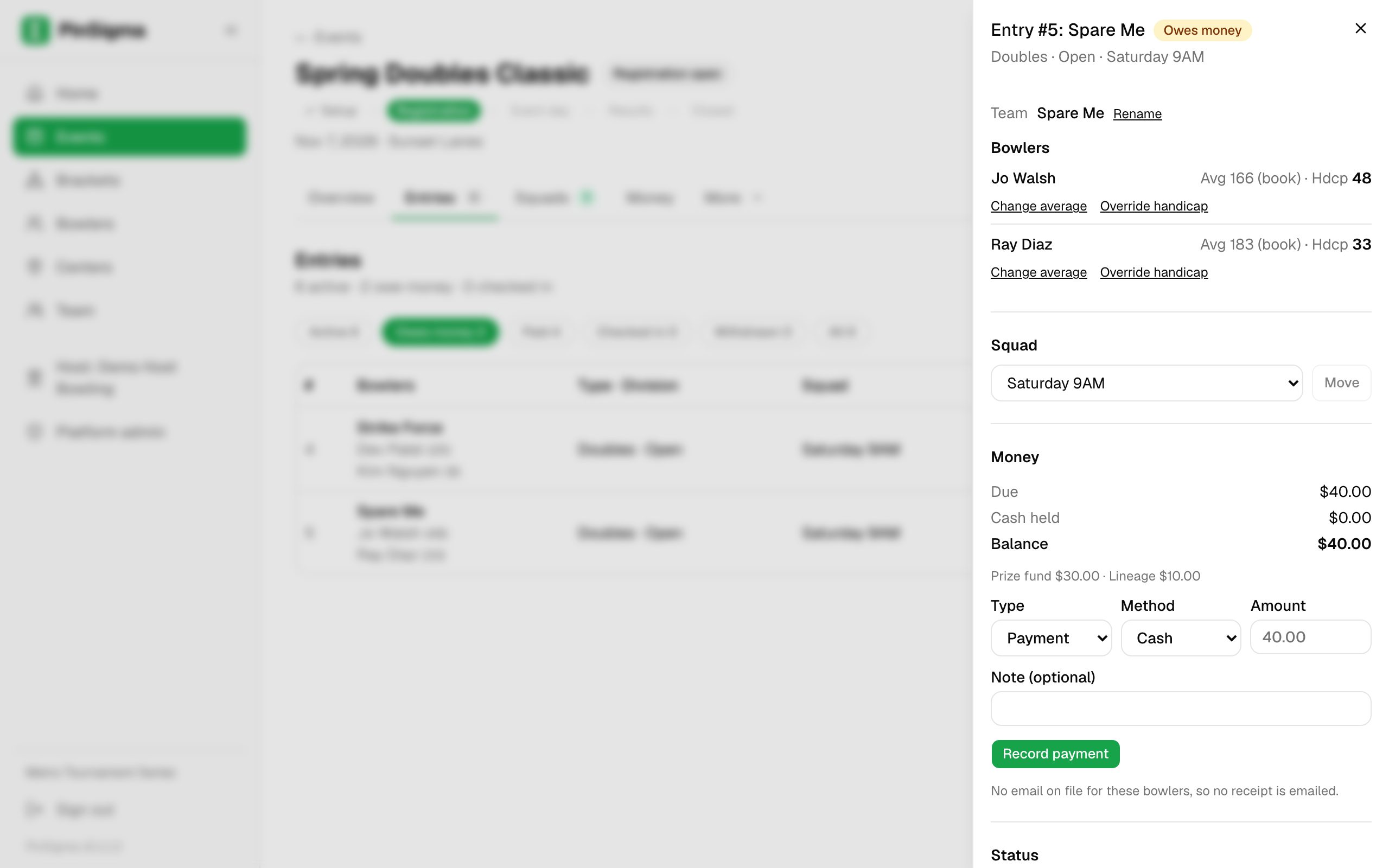
The entry shows its bowlers, averages and handicaps, its squad, and every payment, refund and comp.
- 8
Record the payment
Leave the amount empty to take exactly what's owed. Refunds and comps are recorded here too, each with a reason.