Event day
Change lane assignments
Move a team to another lane, change the bowling order within a team, and move a pair that breaks down to a spare pair, from any game not yet bowled.
Recorded with PinSigma v0.11.0 · updated October 18, 2026
Move a team, change the order
- 1
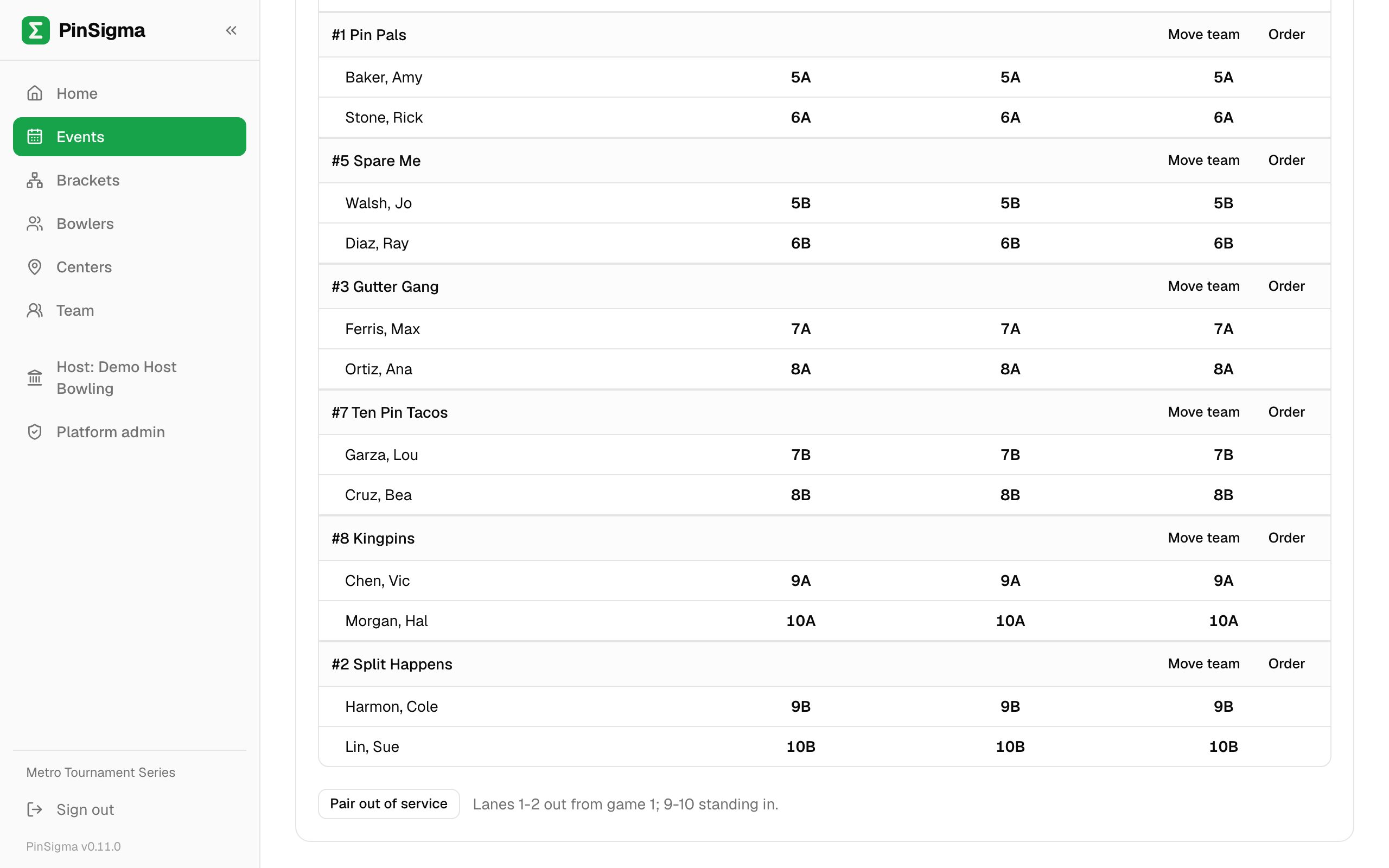
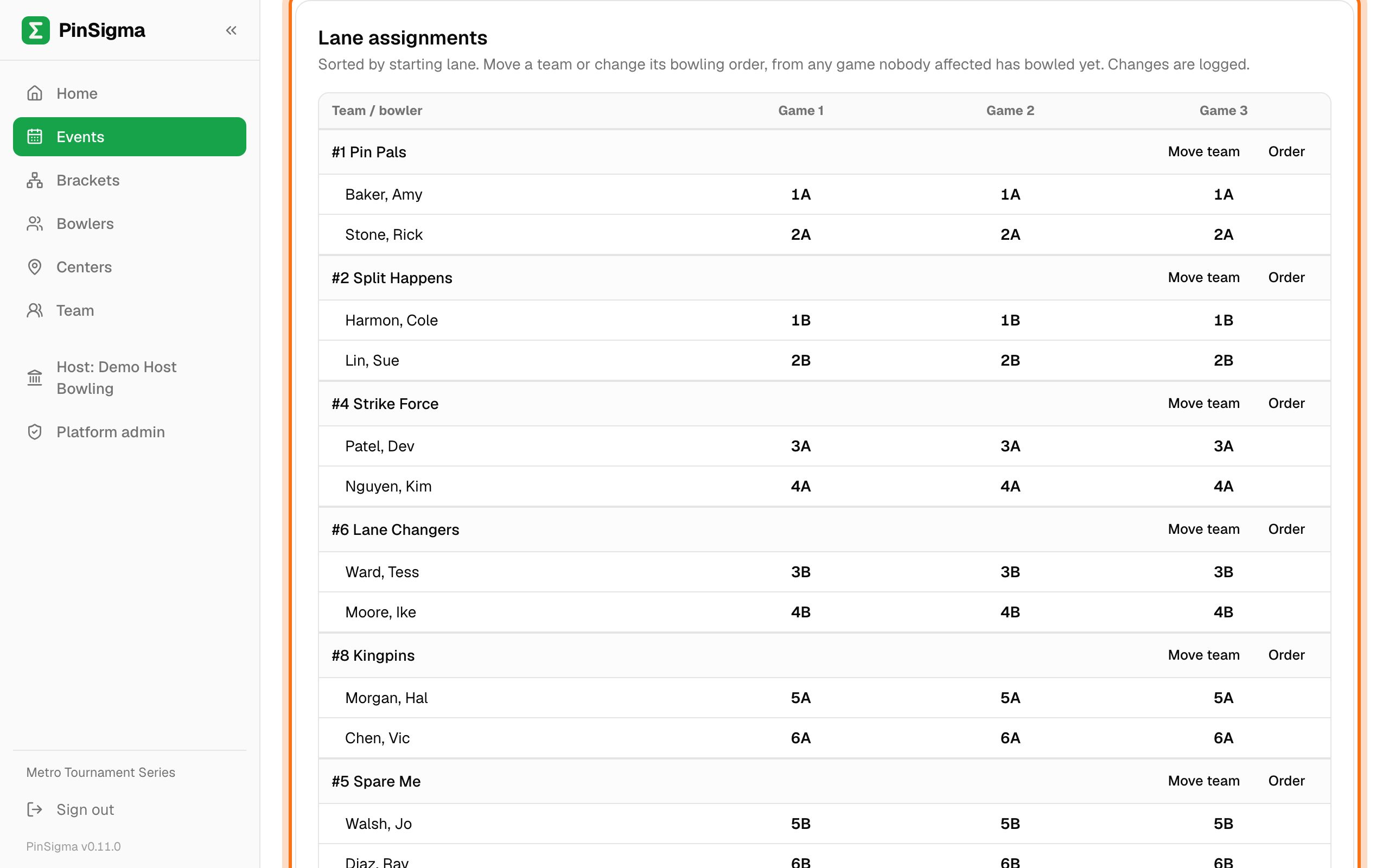
Open the squad's lanes
Every team with its lane for each game, sorted by starting lane.
- 2
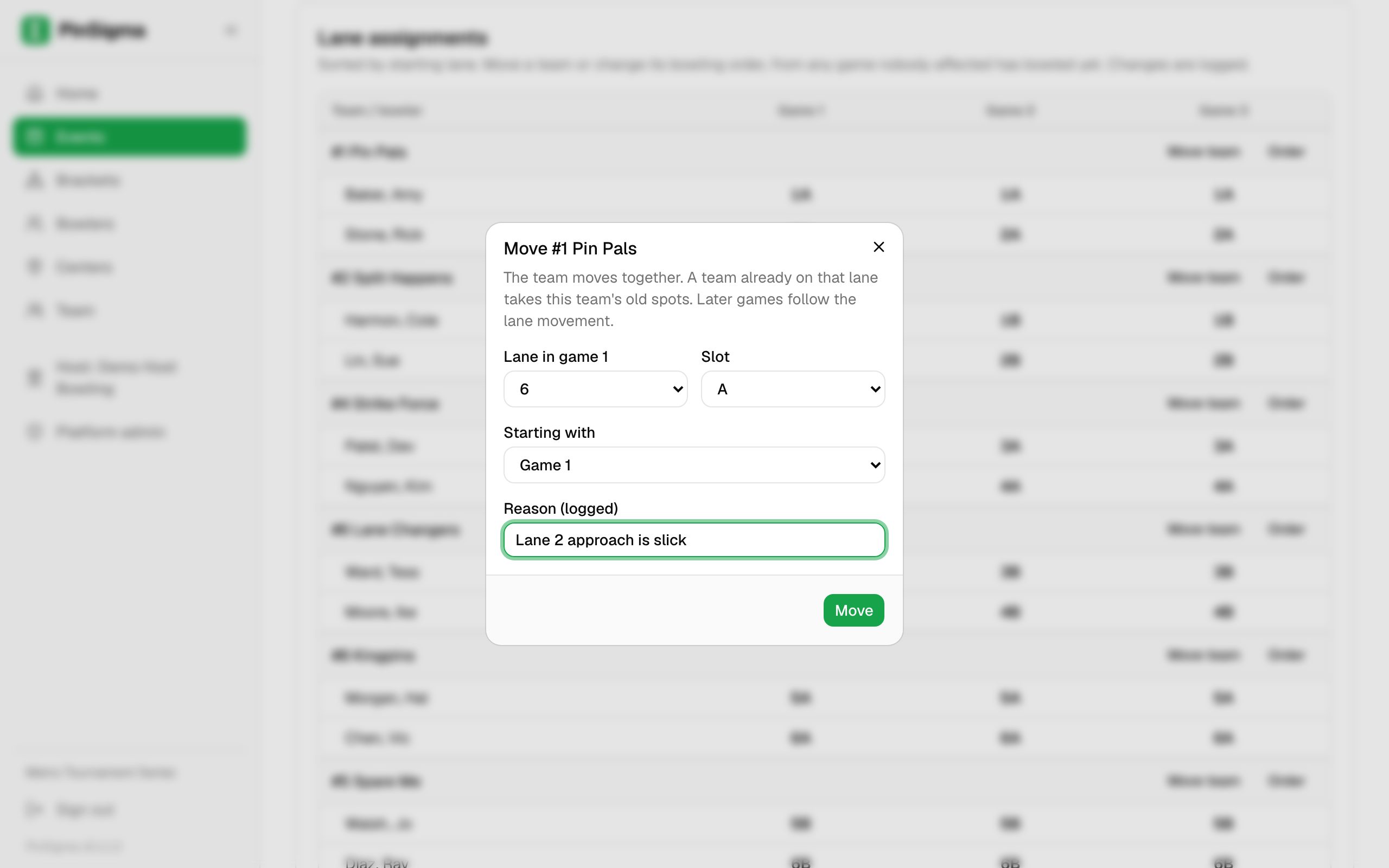
Move a team
Pick the new lane and the game it starts from; later games follow the same movement. Teams already there swap places. Every change is logged with its reason.
- 3
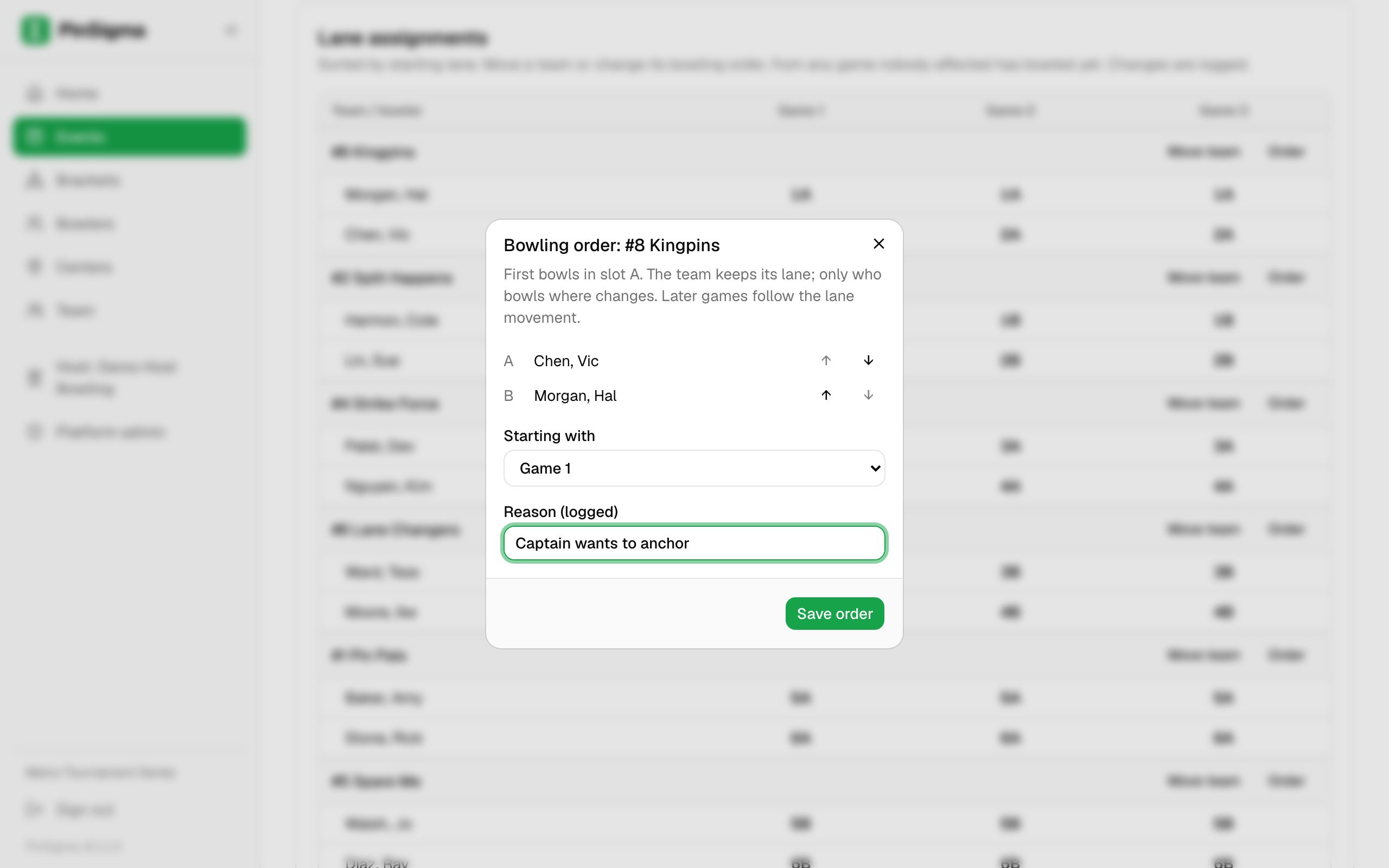
Change the bowling order
Use the arrows to change who bowls first. It applies from the game you pick.
A pair breaks down
- 4
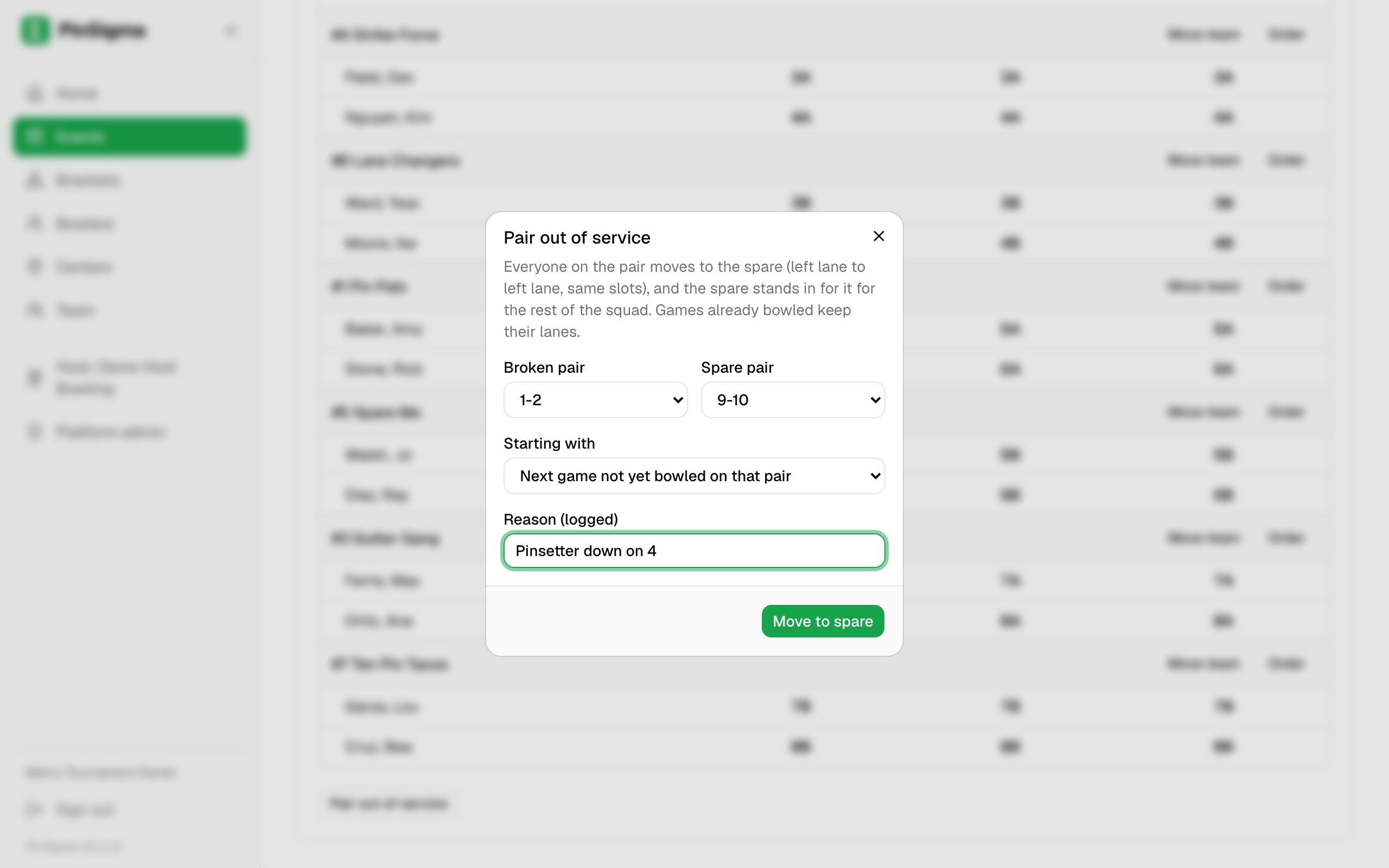
Move to a spare pair
Pick the broken pair and a free pair at the center. The spare takes its place in the rotation from the next game not yet bowled there, so the movement stays the same.
- 5
The lanes update
Lane sheets and score entry follow the new lanes straight away.